School equipment checkout system for Chromebooks, laptops and kit
Lend Chromebooks, laptops, cameras and lab kits to students and staff by scan, with a due date, condition and a loan history per person, then get them back at the end of term.
- Chromebooks
- Laptops & tablets
- Cameras & AV
- Lab & sports kits

Students and staff as borrowers, each with a loan history
A school equipment checkout system has two kinds of borrower. Staff borrow laptops, projectors and cameras for weeks at a time; students borrow Chromebooks for a lesson, a term or a year, and library or sports kit for a day. Both need the same record: who has the item, since when, when it is due back and what state it left in.
In Asetavo each loan is a check-out to a named person with a due date and condition out. The device keeps its full loan history, and each borrower’s record shows everything they have had, so a question at the end of the year has an answer in seconds.
Checking out at the library or IT desk
Speed matters at the desk between lessons. Staff scan the device label with a phone camera in the browser, or with a USB or Bluetooth handheld barcode scanner, which types straight into the screen like a keyboard. Pick the borrower, set the due date and the loan is recorded. Returns are a single scan with the condition in.
Scan the device
QR or barcode label, read by a phone camera or a handheld scanner.
Choose the borrower
Student or staff member, with the class or department in the record.
Set the due date
End of lesson, end of week, or end of term.
Scan it back
Record the condition in; the item is available again immediately.
Chromebook checkout for carts and one-to-one programmes
Schools tend to run devices one of two ways. In a one-to-one programme each student keeps a Chromebook for the year, so the loan is long and the end-of-year recovery is the hard part. With shared carts, devices go out for a lesson and come back to the cart; the cart is a location, and anything not back in it shows as still out.
On the Business plan a UHF RFID handheld can count a full cart or IT store in one sweep instead of scanning each device, which turns the end-of-day check into seconds.
Custody you can read at a glance
- Check out to a named person with a due date and condition out; return with condition in.
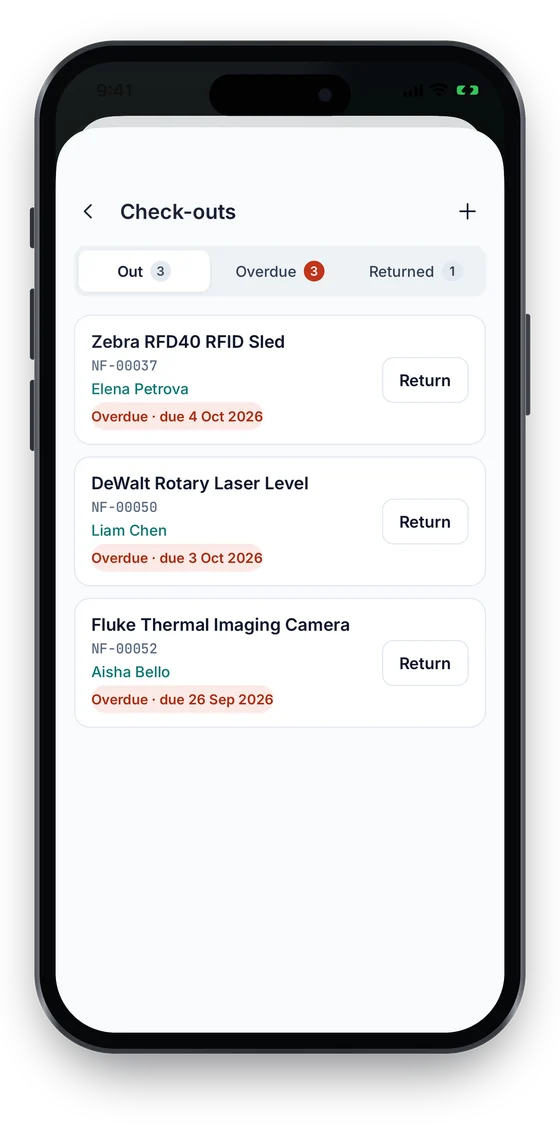
- The check-outs list shows what is out, due soon and overdue.
- Every issue and return is kept on the asset and on the person’s record.
Check-in/out is on every plan, including the free Starter plan. Compare plans →
End-of-term recovery lists
The check-outs list shows every item that is out, due soon or overdue, with the borrower beside it. Before the holidays, filter it and export it to Excel or CSV to send to form tutors or heads of department. Asetavo does not send push reminders to students yet; the list is what staff work from.
Condition out, condition in, and who had it last
Recording condition at both ends of each loan settles most damage questions. If a screen comes back cracked, the loan before it shows who had the device and what state it left in. Devices that need repair can be marked out of service so they are not lent again until fixed.
Loans on the same school asset register
Loans are part of the school’s asset register, not a separate system. The same register holds classroom furniture, lab equipment and IT by block and room, room-by-room stock-takes, and, for the bursar, depreciation on the Business plan. Start from the free school asset register template and import it.
Which plan a school needs for checkouts
The free Starter plan covers the register, QR and barcode labels and phone scanning, which is enough to tag and count devices. Check-in and check-out with due dates are on every plan, including Starter; RFID bulk counts are on Business.
On the phone
Issue and return from the phone
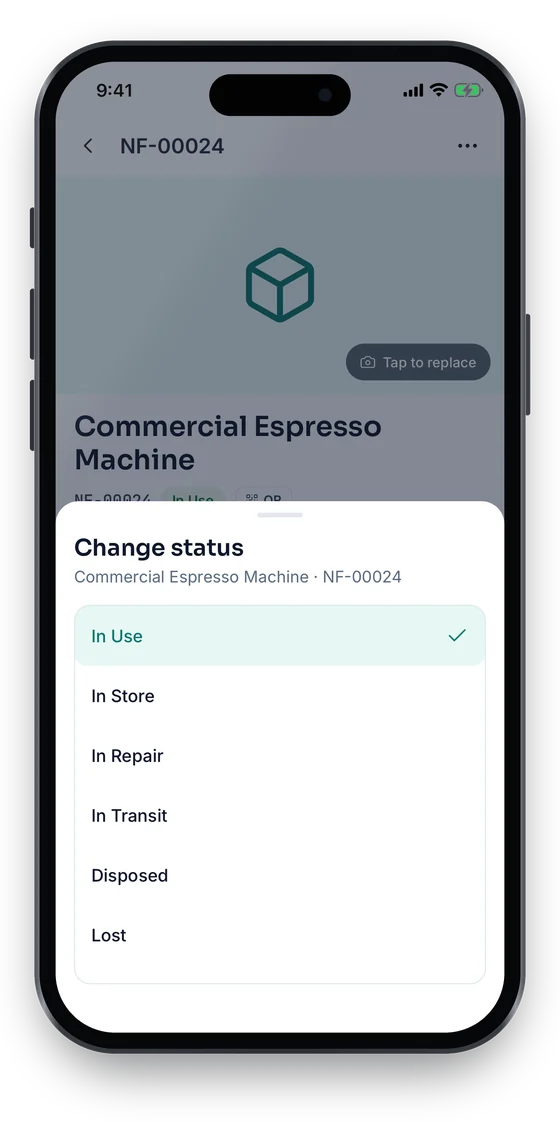
See what is out, what is overdue and what has come back, and return an item with one tap. Status changes take two taps, and every action saves without signal and syncs once you reconnect.
Swipe to see more screens →
Related pages
Frequently asked questions
Ready to account for every asset?
Tag, track and audit everything you own — from a handheld scanner to a boardroom report.
No card required · Workspace ready in minutes · Simple USD pricing
