Know who has every tool
Tag tools and kit, check them out to the person taking them, and see what is overdue — so you stop re-buying equipment you already own.
Who it’s for
Construction
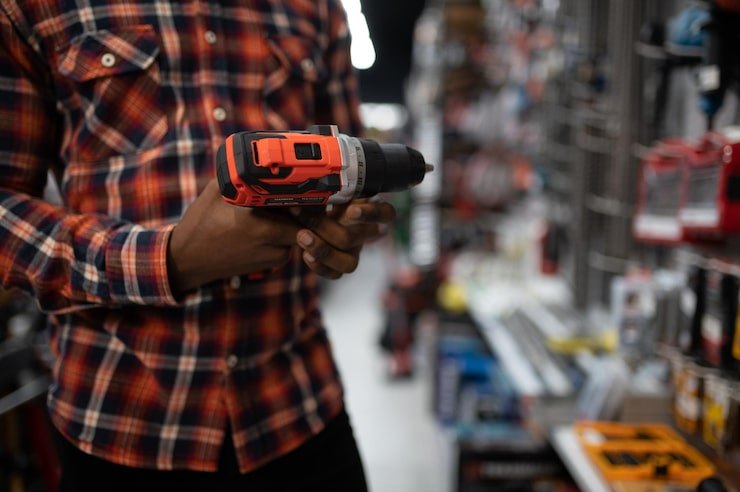
Tools and small plant moving between crews, vans and sites every day.
Field services
Technicians who carry shared test gear and specialist tools.
Facilities
A shared tool crib used across shifts and buildings.
Workshops
Tooling and gauges that must be in the right place and in calibration.
Everything in one register
Rugged tagging
QR labels, NFC, and on-metal UHF RFID tags for tools and plant.
Check-out to people
Scan to issue and return, with due dates and condition out and in.
Overdue list
See every loan past its due date and who has it.
Availability
Status shows what is in store, out, in repair or in transit.
Maintenance & calibration
Work orders, PM schedules and calibration records on the same tool.
Gate alerts
With fixed readers, alert when a tool leaves a zone without being checked out.
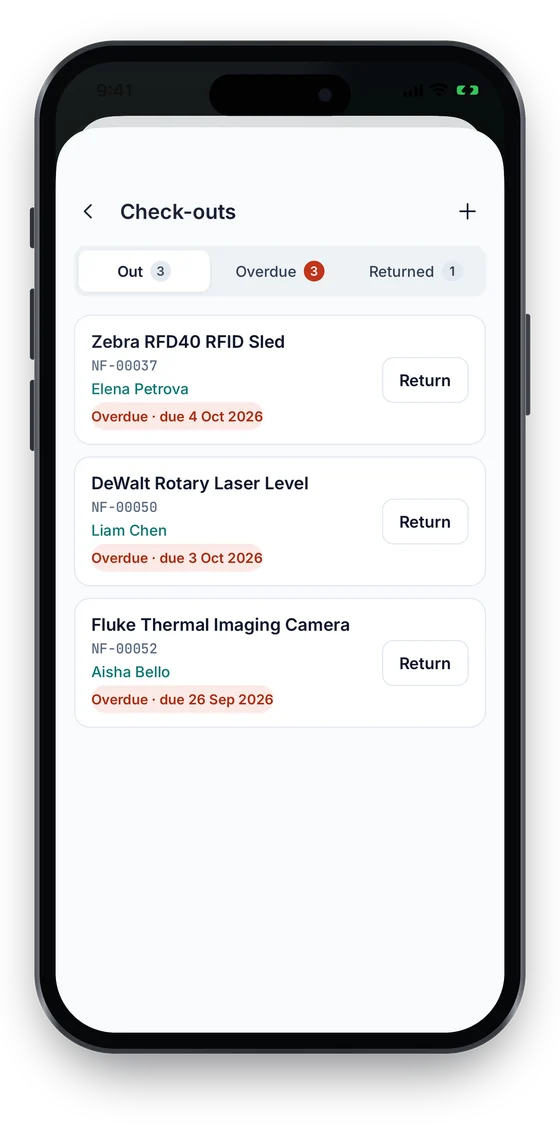
Every loan, its holder and its due date on one screen
- Issue a tool by scanning its tag; record who took it, the due date and its condition.
- Overdue and due-soon loans stand out on the check-outs list.
- Returns record condition in, so a damaged tool can be sent for repair with a work order.
Check-in/out on every plan · UHF RFID, readers and gate alerts from Business. Compare plans →
On the phone
Who has the tool, and where it was last seen
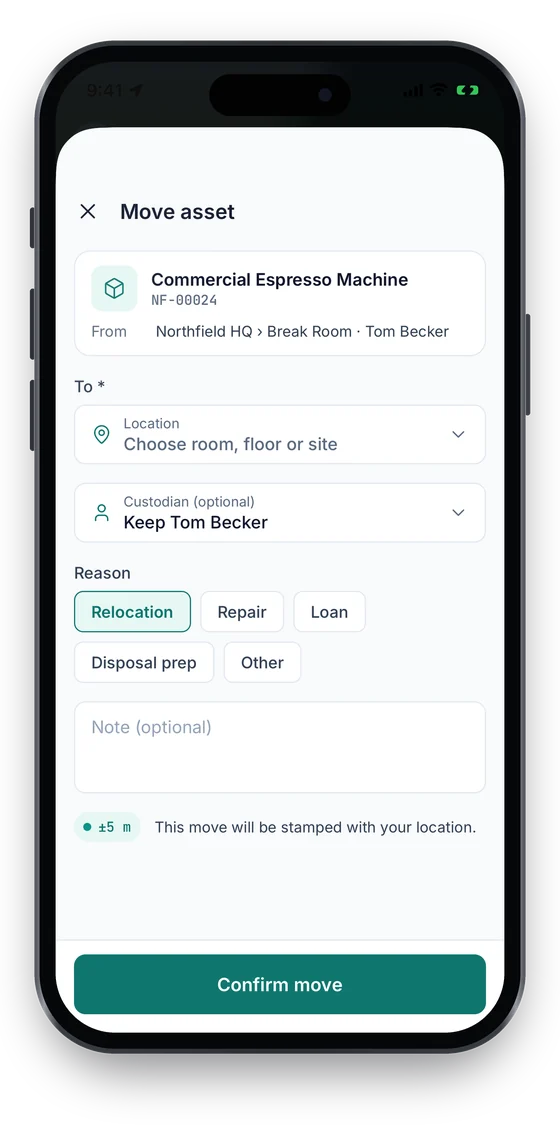
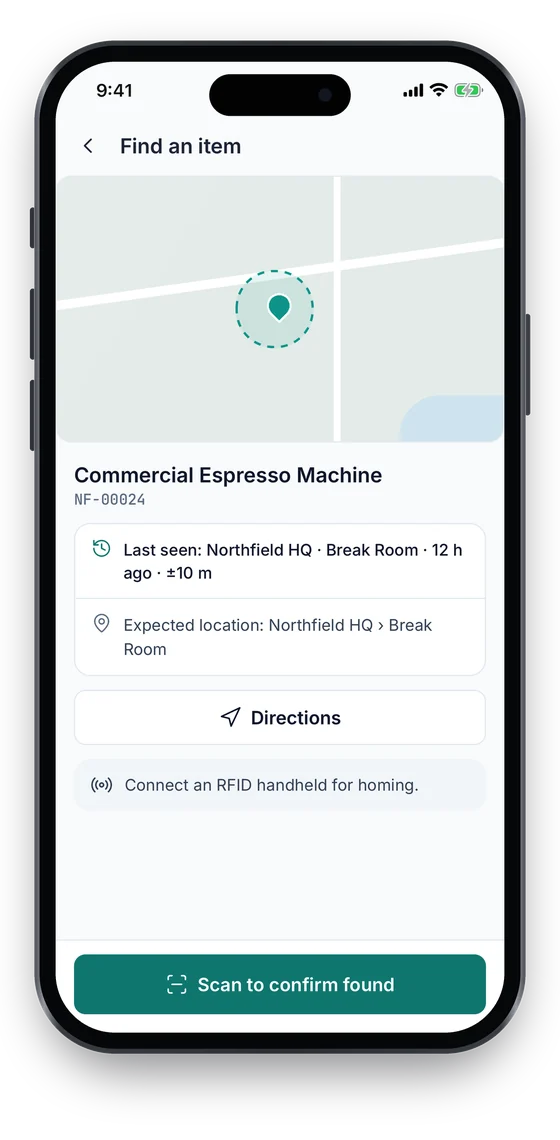
Check-outs shows every tool that is out and overdue, with one-tap Return. A move records the destination, the person and a GPS fix with its accuracy (Growth and up), captured only at that moment and never in the background. Find an item starts the search where the tool was last seen.
Swipe to see more screens →
Tool Tracking, step by step
Tag tools
Label each tool or kit and add it to the register with a home location.
Issue
Scan to check out to the person taking it, with a due date.
Follow up
Review the overdue list and chase loans by name.
Return & maintain
Scan back in, note condition, and raise a work order if it needs repair.
Free tools & pricing
Frequently asked questions
Ready to account for every asset?
Tag, track and audit everything you own — from a handheld scanner to a boardroom report.
No card required · Workspace ready in minutes · Simple USD pricing
