Tool tracking software for construction crews and jobsites
Check tools out to the person who has them, follow them between crews, vans and sites, and tag them with labels and on-metal RFID that survive the job. Start free with QR labels and a phone.
- Power tools
- Laser levels
- Generators
- Breakers & compactors
Why construction tools go missing between jobsites
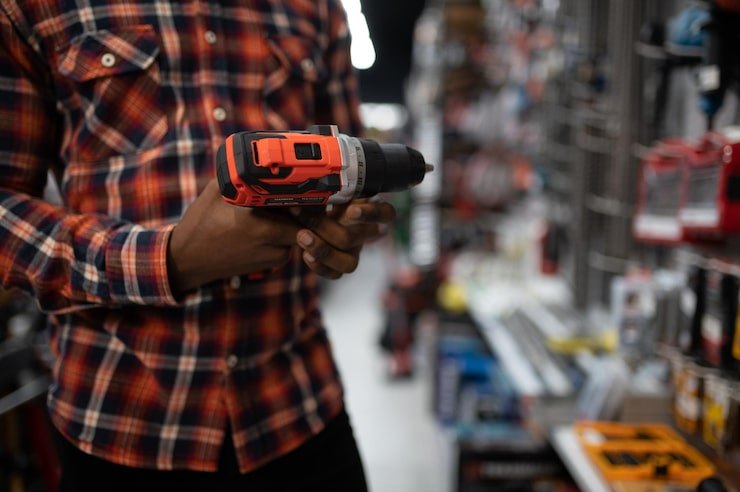
Construction tools are not lost in one dramatic moment. A breaker goes out with a subcontractor and comes back a week later, or not at all. A laser level travels in a foreman’s van to a second site. A box of cordless drills sits in a container on a job that finished last month. Nobody did anything wrong; nobody wrote anything down.
Tool tracking software for construction works when it records custody at the moments tools actually move: leaving the yard, changing crews, going into a van or container, and coming back.
Crew-to-crew handovers
Tools pass between crews and trades on the same site without a record.
Vans and containers
Stock lives in vehicles and site boxes, not just the yard store.
Subcontractor loans
Kit lent to another firm is the easiest to forget.
Finished jobs
Tools left on a closed site are found only when someone goes looking.
Custody that follows each tool from crew to crew
Scan a tool’s tag and check it out to a named person with a due date and the condition it left in. When it changes hands, return it and check it out to the next person in two scans, so the history shows every holder in order. Returns record condition in, so damage is tied to a date and a person instead of being discovered at the next job.
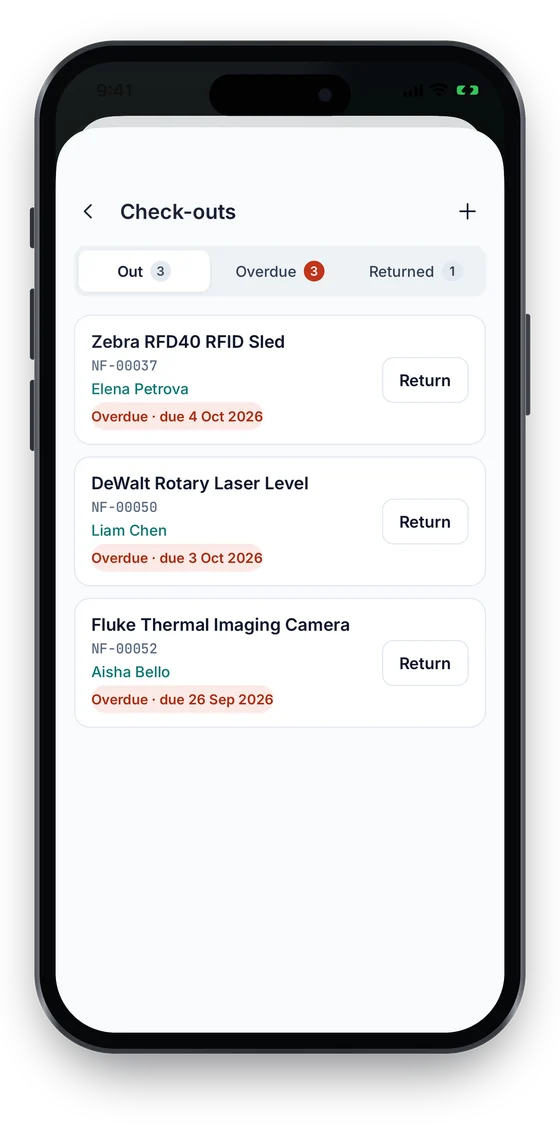
The check-outs list shows what is out, what is due soon and what is overdue, with the holder’s name beside each tool, so a foreman can chase their own crew before the end of the week. It is a list you check, not a stream of push reminders.
Van stock, site containers and the yard
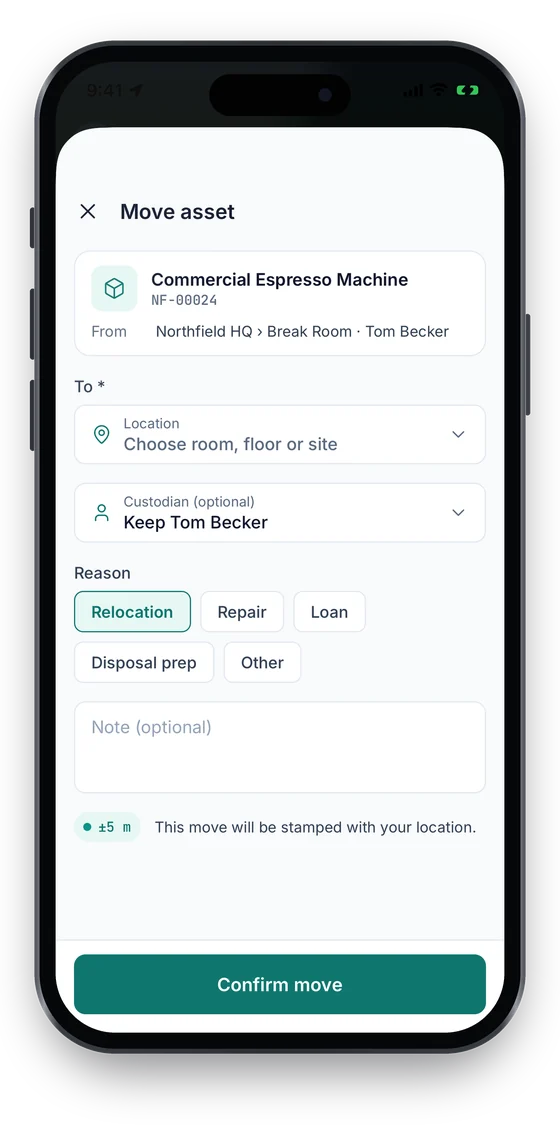
Set up each yard, site, container and van as a location. Moving a tool into a van or onto a site is a scan, so the register shows where it is as well as who has it. From the Growth plan, the phone records a GPS fix at the moment of each scan, move or check-out, never in the background, so a tool’s last known position appears on the map with the time it was scanned.
For plant and vehicles that move without anyone scanning them, the Business plan adds hardware GPS trackers with live position, trail, stops and alerts when they leave a site geofence.
Every loan, its holder and its due date on one screen
- Scan a tool’s tag to check it out to a person, with a due date and condition out.
- Overdue and due-soon loans stand out on the check-outs list for follow-up.
- Returns record condition in; maintenance and calibration live on the same tool record.
Check-in/out is on every plan; UHF RFID and maintenance are on Business. Compare plans →
Rugged QR labels, metal plates and on-metal RFID tags
Paper stickers do not last on a jobsite. Use weatherproof polyester QR labels on hand tools, anodised metal barcode plates on items that get knocked about, and on-metal UHF RFID hard tags on power tools, plant and anything stored in steel containers. All three live in the same register; the tag is only how the tool is scanned.
RFID changes the gate and the store. A fixed UHF reader at the yard gate or container door records tagged tools as they pass, with direction, and a checkout-exit alert fires when a tool leaves through a covered gate without being checked out. A handheld RFID reader counts a full container in one sweep instead of one scan per tool. RFID readers, zones and alerts are on the Business plan.
Servicing, inspections and calibration on the same record
Tools that are out of service should not be checked out. On the Business plan, each tool can carry preventive maintenance schedules, inspection dates and calibration for laser levels and test meters, with work orders and history on the asset record, so the person at the store can see before a loan whether the tool is fit for use.
From a tool tracking spreadsheet to software in a day
Start from your list
Export your current tool spreadsheet, or start from our free equipment tracking spreadsheet, and import it with the Excel/CSV wizard.
Set up yards, sites and vans
Create each location once; tools are then moved between them by scan.
Tag the tools that walk
Begin with the tools that go missing most. Print QR labels on day one and add metal plates or RFID later.
Check out from the phone
Crews scan in any mobile browser today. The native iOS and Android apps, coming soon to the App Store and Google Play, keep every action working without signal and sync it later.
Which plan a construction firm needs
| Plan | What it adds for tool tracking |
|---|---|
| Starter (free) | The tool register, QR and barcode labels, phone-camera scanning, check-in and check-out with due dates, Excel and CSV export |
| Growth | NFC tags, stock-takes, custom fields, a GPS fix at each scan |
| Business | UHF RFID tags and readers, zones and exit alerts, maintenance and calibration, hardware GPS trackers, API |
On the phone
Who has the tool, on the phone
Check-outs shows every tool that is out and overdue, with one-tap Return. A move records the destination, the person and a GPS fix with its accuracy (Growth and up), taken only at that moment and never in the background.
Swipe to see more screens →
Frequently asked questions
Ready to account for every asset?
Tag, track and audit everything you own — from a handheld scanner to a boardroom report.
No card required · Workspace ready in minutes · Simple USD pricing
