Every store keeps its list differently
One branch has a spreadsheet, another a folder of invoices, a third relies on the manager's memory. Head office cannot compare stores or answer a simple question like how many card terminals the group owns.
POS terminals, scanners, fridges, freezers, shelving, CCTV and back-office IT — tracked the same way in every branch. Move equipment between stores with a record, send faulty units for repair and get them back, let each store run its own audit, and open new stores from a repeatable asset list.

A retail group runs the same kind of equipment in many places, but each store tends to keep its own list, if it keeps one at all. Asetavo puts every branch, the warehouse and head office on one location tree, with the same categories and naming in each store.
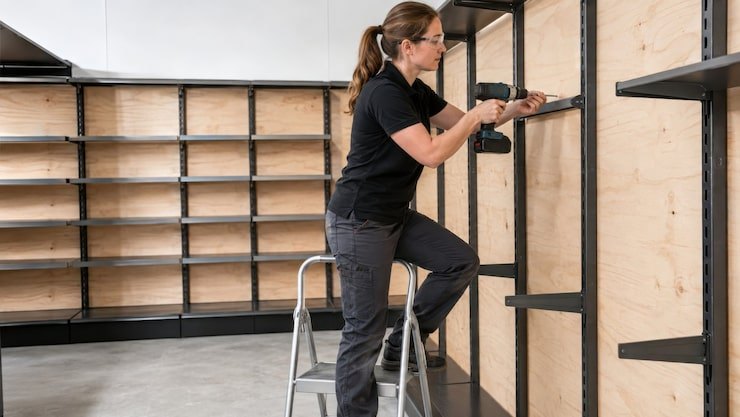
Add every store, warehouse and back room.
Tag POS terminals, displays, fridges and fixtures.
Track transfers between branches and run store-by-store counts.
Refits, openings and closures start from an accurate list of what each store really has.
The day-to-day failures retail teams describe before they move off spreadsheets and paper registers.
One branch has a spreadsheet, another a folder of invoices, a third relies on the manager's memory. Head office cannot compare stores or answer a simple question like how many card terminals the group owns.
A spare scanner is lent to a busy store for a promotion and never goes back. A display fridge is moved during a refit. Neither move is written down, so both stores' lists are wrong from that day.
A faulty POS terminal is sent to the warehouse or a repairer. Weeks later nobody knows whether it was fixed, replaced or written off, and the store is still a till short.
A freezer that is overdue for service can take a whole section of stock with it when it fails. Service dates for cold equipment across dozens of stores are hard to keep in view from head office.
Every opening rebuilds the equipment list from scratch. Items arrive untagged, get installed wherever there is space and are only recorded months later, if ever — so the newest store starts life with the least accurate register.
When audits happen, each store counts differently and on a different week. The results cannot be rolled up, and head office has no reliable picture of what is actually in the estate.
Set equipment categories, naming and custom fields once for the group. Every store records a POS terminal, fridge or CCTV camera with the same fields, so reports compare like with like.
Learn moreEach branch, the warehouse and head office sit on one hierarchy down to area level. Filter to a single store for its manager, or roll up the whole estate for operations.
Learn moreRecord a move from Store A to the warehouse to Store B from the mobile app. Location and custodian update at each step and the movement history shows exactly how equipment travelled.
Learn moreLog a fault against the POS terminal or fridge, raise a work order, record the repairer, cost and outcome, and close it when the unit is back in the store. The asset's history shows every repair.
Learn moreStore managers open an audit session for their branch and scan with a phone. Asetavo reconciles found, missing and unregistered items, and head office sees every store's result in one place.
Learn moreRecord warranty end dates and service contracts on POS hardware, refrigeration and CCTV, with documents attached, so stores claim under warranty instead of paying for repairs.
Learn moreRun depreciation across the estate with book and tax profiles and report net book value per store — useful for refits, closures and store-level profitability.
Learn moreCreate the new store and its areas in the location tree. Use your standard store equipment list as the plan, tag every item as it is received at the warehouse, and record where it is installed. Assign tills, handhelds and office IT to the store and its manager, then run a verification audit before the doors open. The store goes live with a complete register instead of building one later.
Surplus equipment leaves Store A for the warehouse pool, then goes to Store B when needed. Each leg is recorded with a scan, so both stores' lists stay correct and the warehouse knows what spares it actually holds.
The store logs the fault and the terminal is checked out to the repair route. A work order tracks the repairer, cost and outcome. When it is returned and checked back in at the store, it is available again and the repair is on its record.
Head office schedules audits for every branch in the same window. Each store scans its equipment; the reconciliation separates what was found, what is missing and what was found but not on the register, and exceptions are followed up centrally.
On the phone · Retail
Store and field staff count a shop floor or a stock room by scanning labels. Scans are kept on the phone with no signal and sync exactly once, and anyone can look up a fixture or device by name, tag or serial to see its status and store.
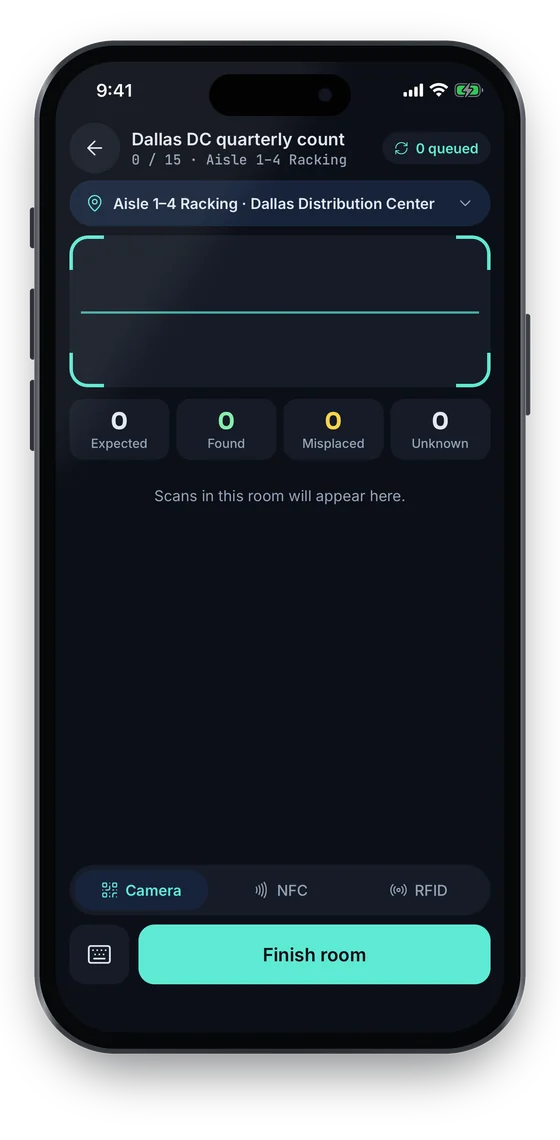
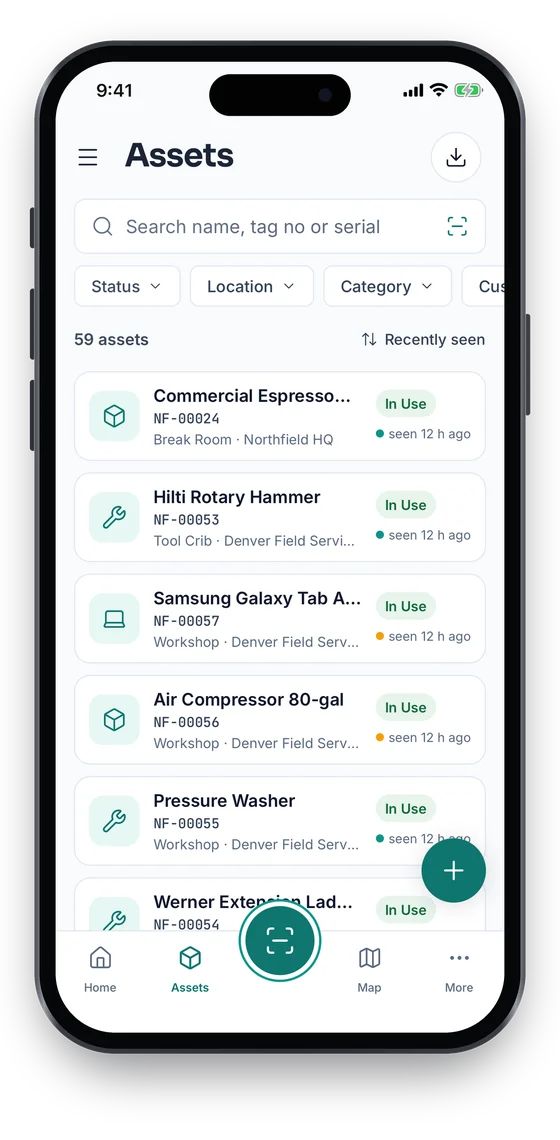
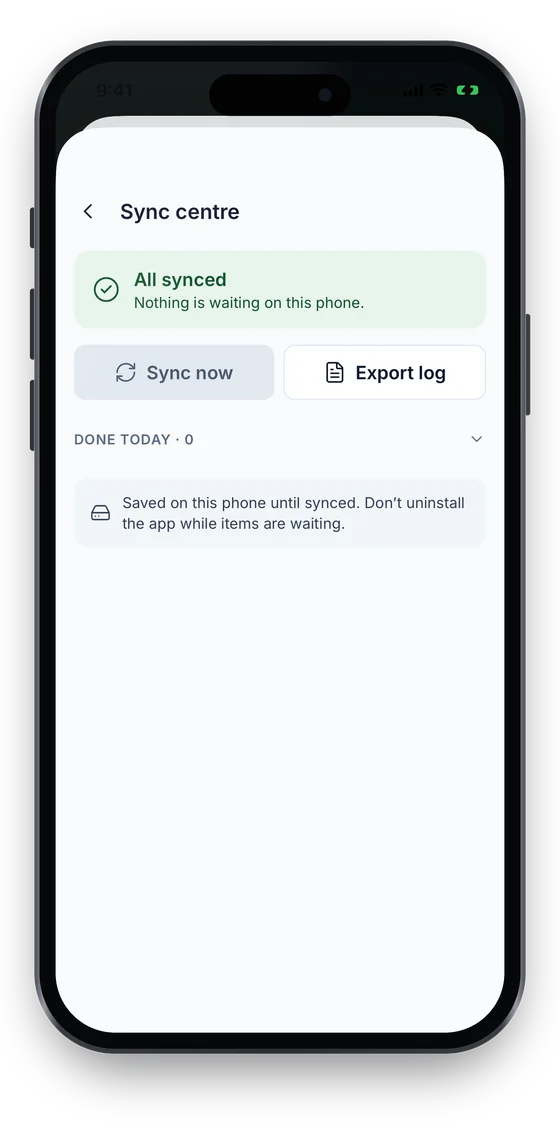
Swipe to see more screens →
An illustrative retail overview beside a real Asetavo screen.
Categories and custom fields keep the details each group needs — serials, warranty, custodian, room.
POS terminals · Card payment terminals · Barcode scanners · Receipt and label printers · Cash drawers · Self-checkout units
Display fridges · Freezers · Cold-room units · Ice machines · Chillers
Shelving and gondolas · Display units · Digital signage screens · Mannequins and racks · Store furniture
CCTV cameras · Recorders (NVR/DVR) · EAS gates · Routers and switches · Wi-Fi access points
Manager laptops · Stock handhelds · Tablets · Safes · Office equipment
Keep a standard equipment list for each store format. For a new opening, tag items as they arrive at the warehouse, record installation by area and assign devices to the store. A verification audit before opening day confirms everything on the list is in place — and the next store follows the same steps.
When a POS terminal fails, the store logs it and head office can see every unit currently away for repair, how long it has been out and what it has cost. A spare can be sent from the warehouse pool while the original is in repair.
Put fridges and freezers on preventive-maintenance schedules and record each service visit on a work order. Operations can see which stores have cold equipment due and which contractors serviced what, and warranty dates prevent paying for covered repairs.
Store managers count their own branch with a phone in a single session. Head office sees completion by store and the variance list — missing and unregistered items — without collecting spreadsheets from every branch.
Before a refit, list every asset in the store and decide what is reused, moved to the warehouse or disposed of. Transfers and disposals are recorded as they happen, with gain or loss captured for finance and net book value updated by store.
Store IT — routers, handhelds, manager laptops — is tracked with serials, warranty dates and the store or person it is assigned to, so the IT team can plan refresh cycles across the estate rather than store by store.
Store equipment fails in public: a dead till builds a queue, a failed freezer means discarded stock. Asetavo keeps repairs and planned servicing on each asset, so head office can see where equipment is in the repair process and what each store's equipment is costing to keep running.
Finance needs to know what each store holds and what it is worth, especially around refits, closures and impairment reviews. Because the register is kept current by the stores themselves, depreciation runs on equipment that actually exists.
Multi-location is the core of retail asset management. Asetavo lets head office set the standard once — categories, fields, audit approach — and every branch follows it, while store managers only see and manage their own store.
Most retail equipment is scanned occasionally — at install, repair, transfer and audit — so low-cost tags that any store phone can read are usually the right starting point. RFID earns its place where you want to count many items quickly or read them at a warehouse dock.
The default for store equipment. Store staff scan with any phone, labels are cheap to print for a new store, and QR works on every plan. Place tags where they are visible to staff but not to customers — underneath tills, on the back of fridges.
What is QR?Useful if stores already have barcode scanners at the till. Existing asset barcodes can be mapped during onboarding so stores keep using the scanners they know.
What is Barcode?For devices where a printed label gets scuffed or removed, such as handhelds and card terminals. A tap opens the record. Available from Growth.
What is NFC?For the warehouse spare pool and large-format stores with many fixtures, where a handheld reader counts a room at once. Business plan and above.
What is UHF RFID?Not sure which to use? Try the tag technology selector or compare plans.
Retail groups have many users with very different needs: store managers, area managers, IT, facilities, finance and auditors. Role-based permissions let a store manager scan and audit without editing categories or seeing purchase cost, and the audit trail records every change across every store.
Asetavo manages the equipment in your stores, not your product stock or sales. POS, ERP, service-desk and facilities systems stay in place and can be connected via the REST API. Alerts can be pushed out as signed webhooks, and every register and report exports to Excel or CSV.
Define equipment categories, naming and custom fields once for the group, and build a standard equipment list per store format.
Add every store, the warehouse and head office, with areas inside each store. Import any existing lists with the Excel/CSV import wizard.
Tag and verify a small group of stores first. Refine label placement and the audit routine before rolling out.
Send tag packs and a short guide to each store. Store managers tag and scan their own equipment, and head office tracks progress by store.
From go-live, all repairs are logged as work orders and all moves between stores go through a recorded transfer.
Schedule estate-wide audits at a regular interval so every store counts in the same window and results roll up cleanly.
Something we didn’t cover? Walk us through your sites and assets and we’ll show you how Asetavo would be set up.
Book a demoSend us one store's equipment list and your store format. We will show you the location tree, a store transfer, a POS repair and a branch audit on your own data.
No card required · Workspace ready in minutes · Simple USD pricing
