Mobile · Field operations

Manage assets wherever the work happens

Point a phone at a tag and the asset opens. Move it, count a storeroom with no signal, attach labels to new equipment on the spot, issue tools at the counter and close work orders on the shop floor. Every change is kept on the phone until it syncs. Native iOS and Android apps are coming soon to the App Store and Google Play — and the full web app, camera scanning included, already works in any phone browser at app.asetavo.com.

All plansCompare plans
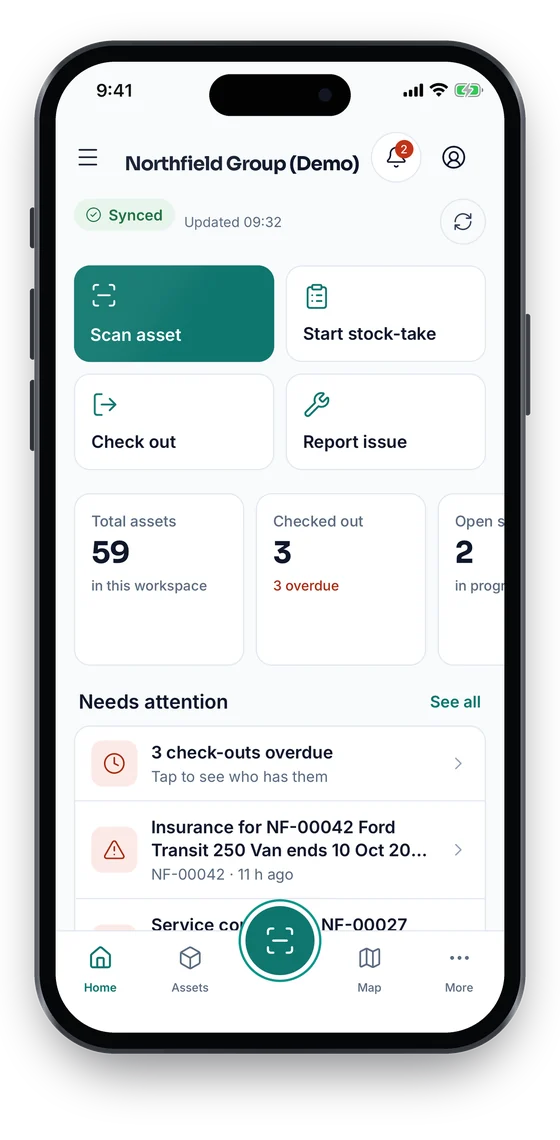
Asetavo app Home: Scan asset, Start stock-take, Check out, Report issue, live counts and Needs attention (sample data)
1Home
Asset 360 with status, last seen location, GPS accuracy and a map (sample data)
2Asset 360
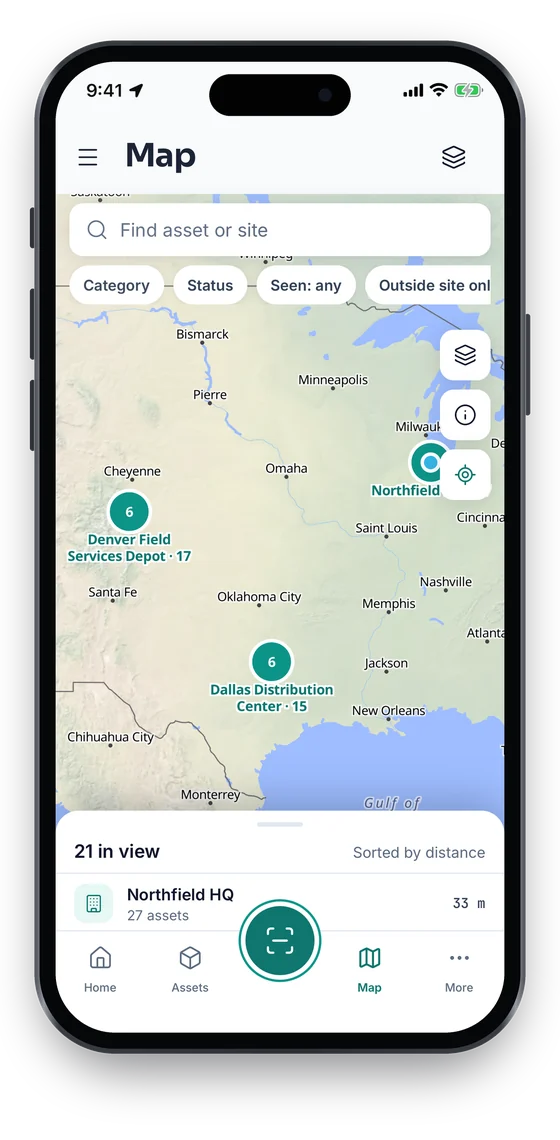
Map of sites and asset clusters across Chicago, Dallas and Denver (sample data)
3Map

Swipe to see more screens →

Real screens from the Asetavo app for iOS and Android, coming soon to the App Store and Google Play. The full web app runs in any phone browser at app.asetavo.com today.
What it solves

What changes when mobile app moves into Asetavo

The way it usually works today, and the way it works once it lives in one system.

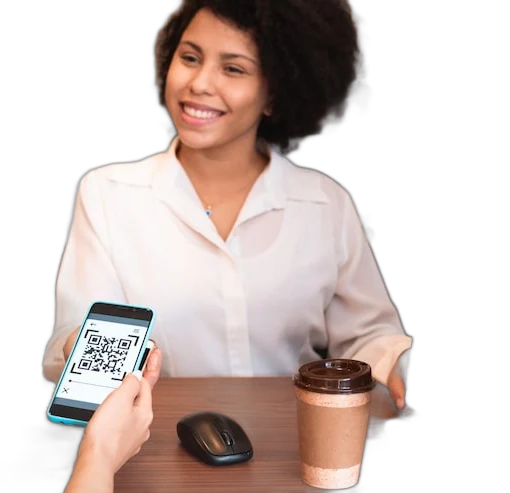
Mobile App in use on site
  1. Before: Auditors walk the floor with a printed list, the basement has no signal, and the results are keyed in for days.

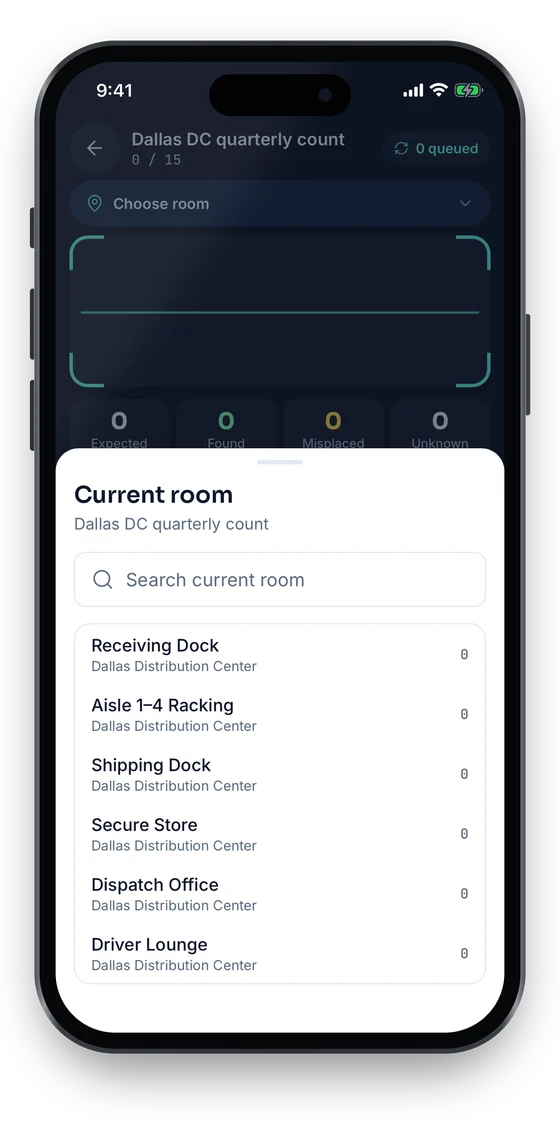
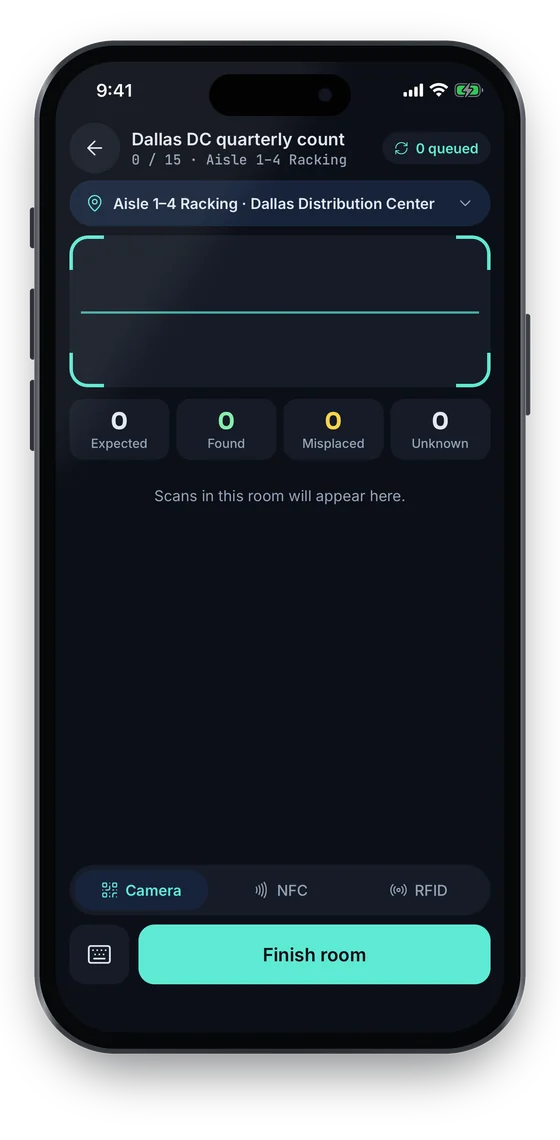
    With Asetavo: Count room by room on the phone, even offline. Submit, reconcile and resolve variances on the spot: Found it, Still searching or Write off.

  2. Before: To check an asset’s details someone has to walk back to a desk and search the spreadsheet.

    With Asetavo: Scan the label to open the asset: location, custodian, tags, maintenance, documents, contracts and history.

  3. Before: Moves are noted on paper and keyed in later, if at all, and nobody knows where an asset really went.

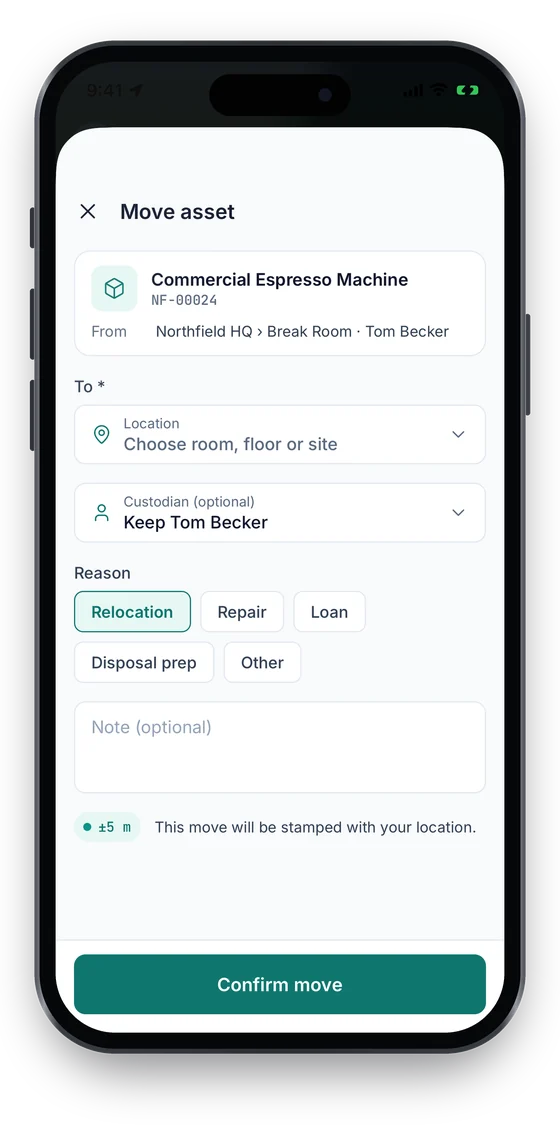
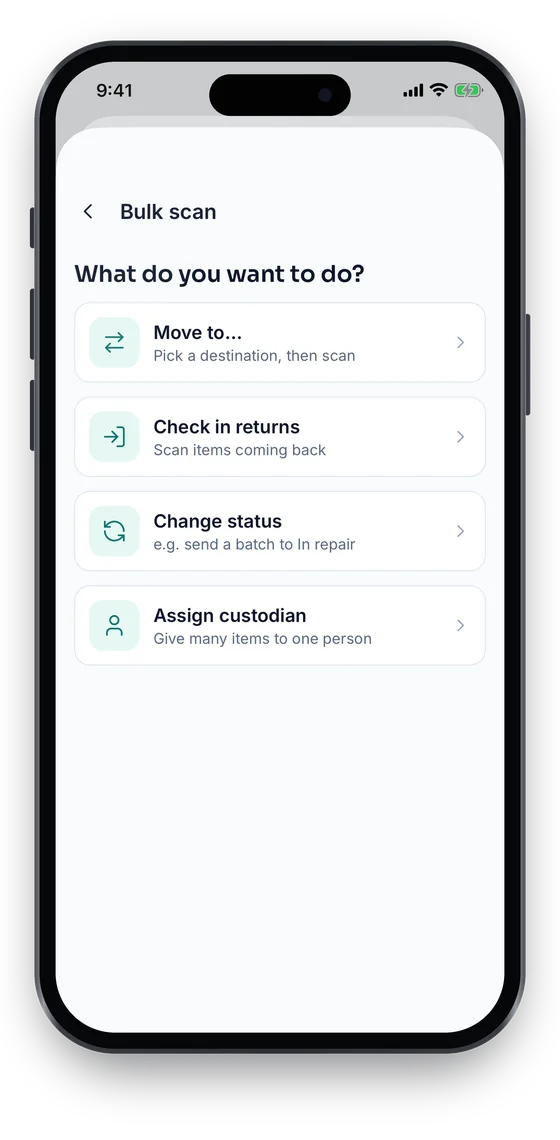
    With Asetavo: Tap Move, pick the room and a reason, and the move is stamped with your location. Bulk scan moves a whole trolley in one pass.

  4. Before: Technicians call the office to find out what job is next and to report it done.

    With Asetavo: Work orders are on the phone: move each job from Open to In progress to Completed, add notes and photos, and tap I’ve arrived on site.

Product in action

What your team actually sees

Real screens from the Asetavo app, captured in the demo workspace of a fictional company, Northfield Group.

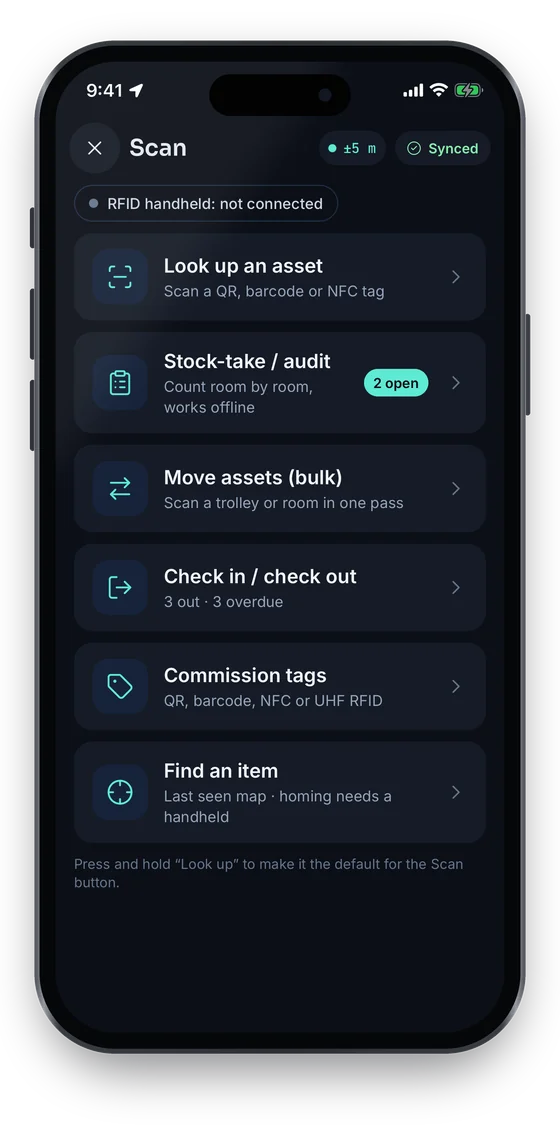
The raised Scan button opens the hub. Look an asset up by QR code, barcode or NFC and its Asset 360 opens, with the actions you need one tap away.

Asetavo app Scan hub: look up, stock-take, bulk move, check in or out, commission tags and find an item (sample data)
1Scan hub
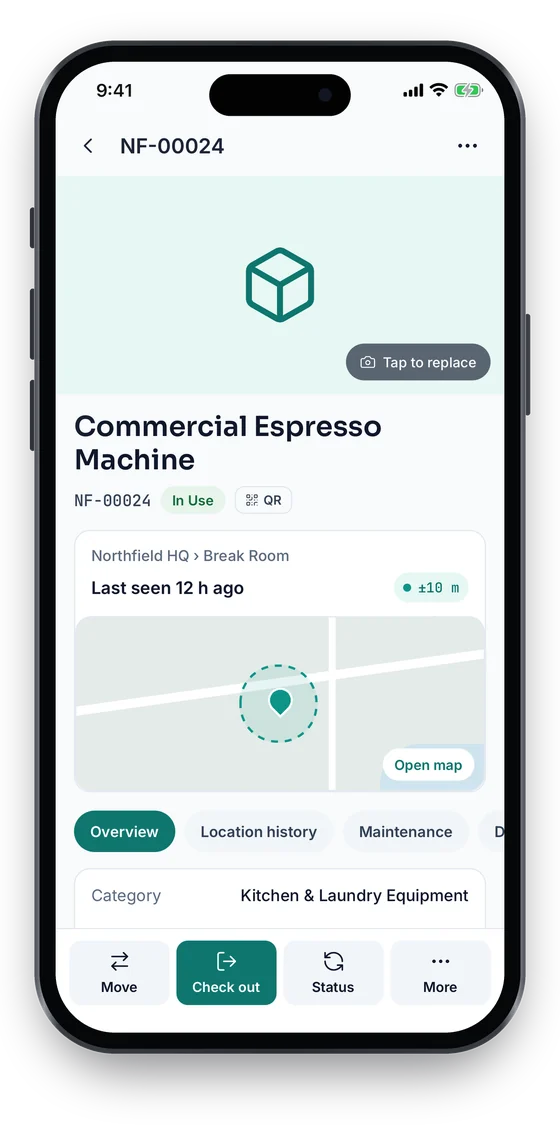
Asset 360 for a Commercial Espresso Machine, In Use, last seen 12 h ago at Northfield HQ with a ±10 m GPS fix on a map (sample data)
2Asset found
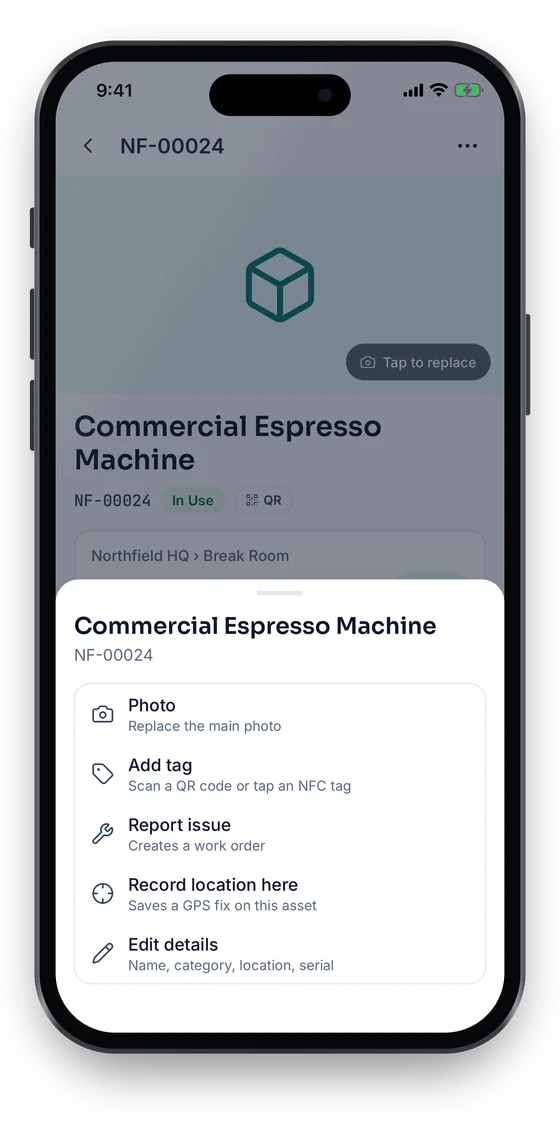
Asset actions sheet: photo, add tag, report issue, record location here and edit details (sample data)
3Act on it

Swipe to see more screens →

Real screens from the Asetavo app for iOS and Android, coming soon to the App Store and Google Play. The full web app runs in any phone browser at app.asetavo.com today.

Scan → asset found

  1. 1
    Scan hub
    Look up, stock-take, bulk move, check in or out, commission tags and find an item.
  2. 2
    Asset 360
    Status, tag, room, last seen with GPS accuracy on a map, and tabs for location history, maintenance and details.
  3. 3
    Act on it
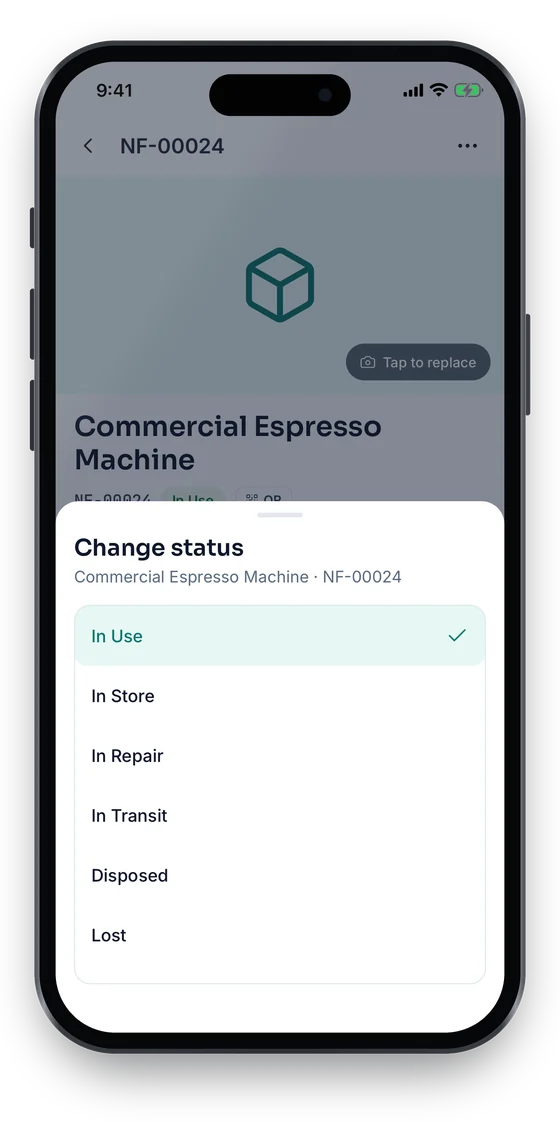
    Move, check out, change status, add a tag, report an issue or record its location from the same screen.
Capabilities

Everything in Mobile App

Every card below is in the product today, on the plans shown above.

QR, barcode and NFC look-up

Look up any asset by scanning its QR code or barcode, or tapping an NFC tag on phones with NFC, with manual code entry as a fallback.

Works offline, syncs once

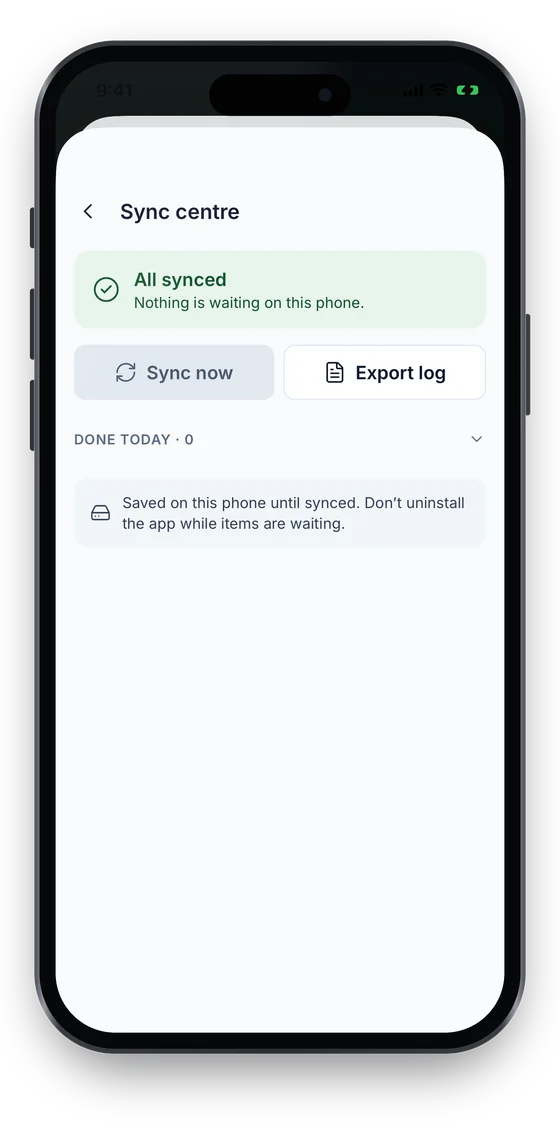
Every change is saved on the phone without signal and syncs exactly once when you reconnect. The Sync centre shows what is waiting, with retry, edit and discard.

Stock-takes and variance review

Start a stock-take on the phone or pick one from the web, count room by room, reconcile, then resolve variances: Found it, Still searching or Write off.

Move with GPS, or in bulk

Move an asset to a room with a custodian and reason, stamped with your location. Bulk scan moves, checks in, re-statuses or assigns a whole room.

Commission tags in the field

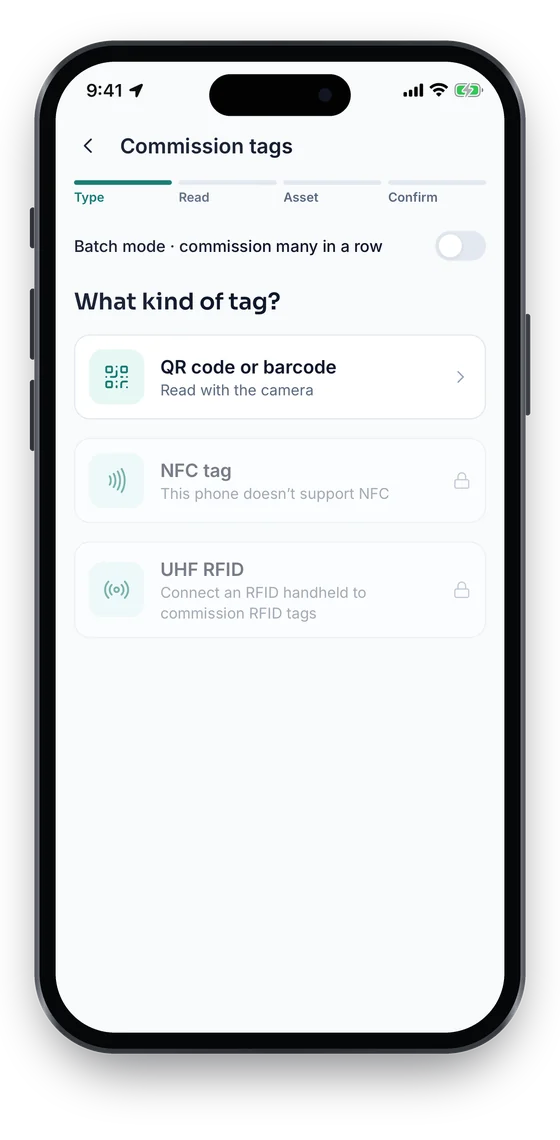
Bind a fresh QR, barcode or NFC tag (on phones with NFC) to an asset, with duplicate and clone rejection from the server. UHF RFID needs a handheld.

Check-outs and returns

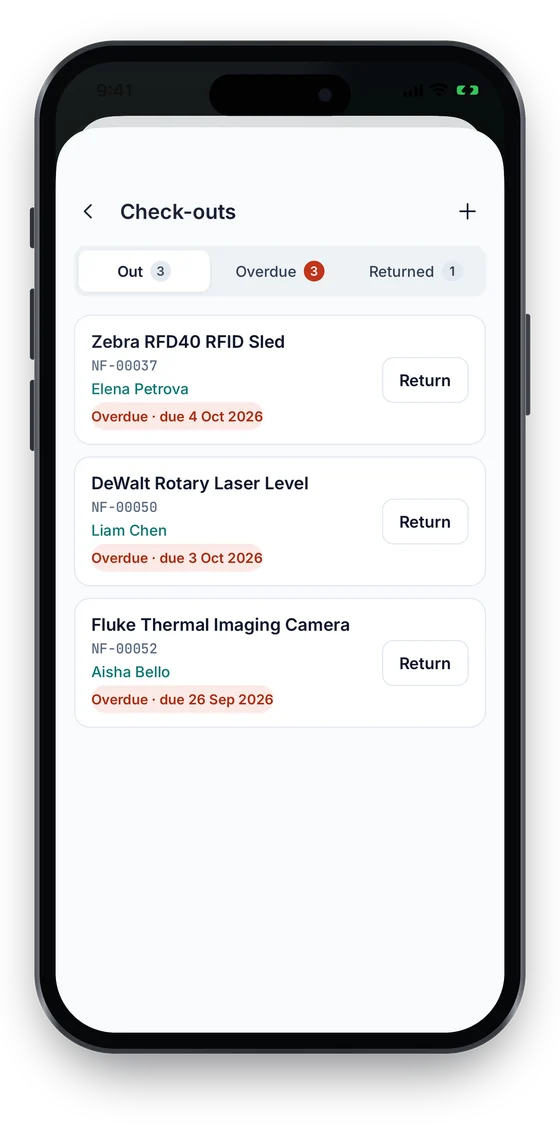
See what is out and overdue, issue to staff, a custodian or someone else with a due date, and record condition on return.

Work orders on the floor

Move each job from Open to In progress to Completed, add notes and photos, and tap I’ve arrived to log attendance with a GPS fix. Costs show to the Finance role.

Revocable device sessions

Short-lived access with rotating refresh. Sign out a lost phone from the web or from More › Devices in the app.

GPS and the Map tab

From Growth, scans, moves, check-outs and stock-take counts carry a GPS fix, so assets show a last position, accuracy and trail on the Map tab with sites and geofences. Foreground only — staff are never tracked in the background.

Works in any phone browser

The full web app runs in a mobile browser at app.asetavo.com today, iPhone and Android, with camera scanning of QR codes and barcodes.

Not in the product yet

Everything else on this page is live today. These are the pieces we are still building.

  • Coming soonPush notifications from the app
  • Coming sooniOS app on the App Store and Android app on Google Play
  • RoadmapUHF RFID handheld sled native bridge and signal-strength find
How it works

From first step to everyday use

  1. 01
    Sign in to your workspace

    Sign in with your Asetavo account. Each phone gets its own revocable device session.

  2. 02
    Scan

    Use the phone camera on QR codes and barcodes — in the app or the mobile browser — or type a code by hand if a label is damaged.

  3. 03
    Asset opens

    Name, tag, category, location, custodian and tabs for tags, movements, maintenance, documents, contracts and history.

  4. 04
    Act

    Move it, count it in a stock-take, attach a new tag, issue or return it, or update its work order. On Growth and up, the app records a GPS fix with the action, in the foreground only.

  5. 05
    Keep working offline

    With no signal, moves, check-outs, returns, tags, photos, status changes, new and edited assets, location fixes, stock-take scans and work-order updates wait on the phone.

  6. 06
    Sync and reconcile

    Each change syncs exactly once when you reconnect, and the Sync centre shows what is waiting. Reconcile a stock-take and resolve its variances on the phone or the web.

Workflows, end to end

Warehouse: scan → verify → move

  1. Picker scans the pallet jack label at Dallas Distribution Center
  2. Asset opens: location Dock B, custodian Marcus Webb
  3. Verify it is the right unit and its condition
  4. Tap Move, choose Dock D, and the move is stamped with the picker’s location

Field: scan → inspect → update

  1. Technician scans the generator at the Denver depot
  2. Maintenance tab shows the open inspection work order
  3. Open the job and move it to In progress, then Completed
  4. Server stamps the times and rolls the schedule forward

IT: scan → assign → return

  1. Service desk scans laptop NF-00042
  2. Issue it to Priya Shah with a due date
  3. On return, book it in from Check-outs and record its condition
  4. Laptop is available for the next person

Audit: scan → verify → record discrepancy

  1. Auditor opens the "HQ Floor 4 – Q3" session on the phone
  2. Scans every label in the room — offline in the stairwell, queue keeps counting
  3. Submit, then Reconcile
  4. Resolve each variance on the phone or the web: Found it, Still searching or Write off
Compare

What you can read with a phone vs a handheld sled vs a fixed reader

CriteriaPhone cameraPhone NFCUHF handheld sledFixed portal reader
Tags it readsQR codes, barcodesNFC tagsUHF RFID (EPC)UHF RFID (EPC)
How many at onceOne at a timeOne at a timeMany per sweepEverything passing the portal
RangeLine of sight, closeA few cmSeveral metresDoorway / dock
Best forLook-ups, small counts, commissioningKeys, rugged or hidden tagsLarge stock-takes, finding itemsZone exit and entry alerts
In Asetavo todayYes — app and mobile browserYes — in the app on phones with NFC (look up and commission)Not yetVia the Readers page (Business)

Fixed readers are configured on the Readers page and must send HMAC-signed HTTPS events directly to Asetavo (bring your own reader).

Deep dive

The detail behind it

What the app does today

The Asetavo app is a native React Native app for iOS and Android, on the same API and permissions as the web app, in light and dark themes. The tab bar is Home · Assets · Scan (raised centre button) · Map · More; alerts live in the Notifications inbox. Both apps are built and coming soon to the App Store and Google Play.

Home
Quick actions (Scan asset, Start stock-take, Check out, Report issue), live counts, and a Needs attention list of overdue check-outs and expiring contracts. Money shows only to the Finance role.
Assets
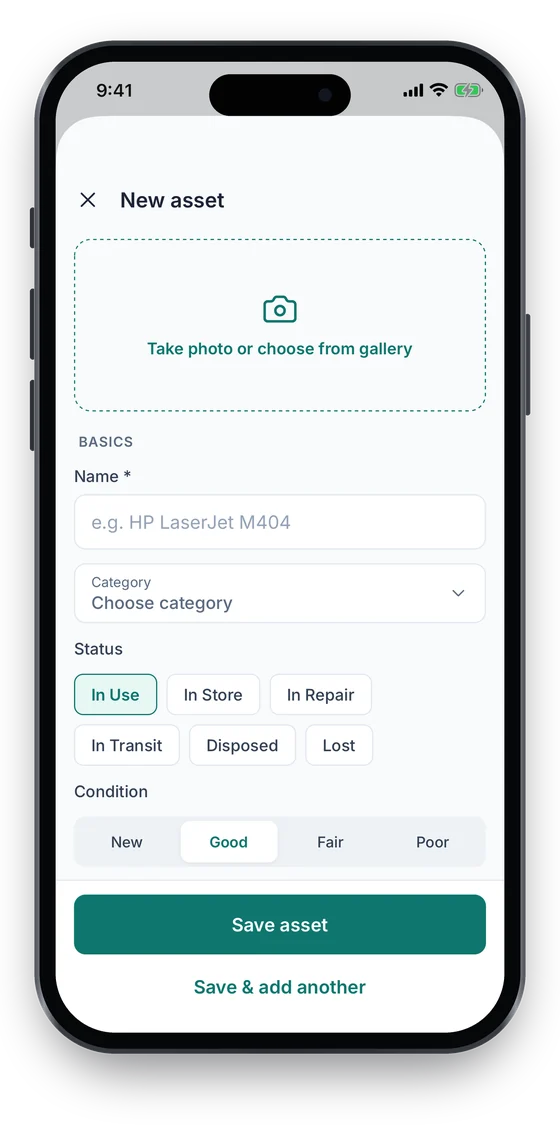
Search by name, tag or serial, filter by status, location or category, open Asset 360, and add or edit assets with a photo.
Scan
Look up (QR, barcode, NFC), Stock-take / audit, Move assets (bulk), Check in / check out, Commission tags, Find an item (last-seen map, confirm by scan).
Map
Every site, geofence and asset on one map. Filter by category, status, last seen or outside-site, then open the asset, get directions or find it.
More
Check-outs, Work orders, Depreciation (Finance), Configuration (Manage), Reports & export, Trackers (Business), RFID readers & zones, Sites & geofences, Warranty & contracts, plus Profile, Devices, Location & privacy, Notification settings and the Sync centre.
Reports
Asset register, by location, custodian or category, stock-take variance, depreciation, movements, check-outs and work orders. Preview on the phone, then export Excel or CSV with the columns you pick. Money columns need Finance.
Offline, permissions and security

Honest limits matter most in the field. This is exactly what works without signal and how access is controlled.

Offline outbox
Moves, check-outs, returns, tags, photos and files, status changes, new and edited assets, issue reports, location fixes, stock-take scans and work-order updates are saved on the phone without signal. Each has its own id and syncs exactly once.
Sync centre
Shows exactly what is waiting on this phone, with Sync now, retry, edit, discard and an exportable log.
Location on actions
With GPS capture on (Growth and up), the app asks for location permission and records one fix when you perform an action — never in the background. Admins set capture to off, optional or required per workspace.
Permission-gated screens
Stock-take needs the audit permission, check-outs need edit, finance needs finance. Without it you see a clear permission message.
Devices
Access tokens last at most 12 hours with a rotating refresh token. Sign out a lost phone from More › Devices or the web; anything it had not synced stays on that phone.
Phone browser
app.asetavo.com works in Safari and Chrome on phones today — camera scanning, register, check-outs, work orders, stock-take sessions and reports. Offline working is in the native app.
FAQ

Mobile App questions

Want to see it with your assets?

Walk us through your sites and we’ll show you mobile app set up the way you’d use it.

Book a demo
Not yet. Native iOS and Android apps are built and coming soon to the App Store and Google Play. Today, on any phone, the full web app works in the mobile browser at app.asetavo.com, including camera scanning of QR codes and barcodes.

Take asset management into the field

Set up your register and labels on the web today and scan from any phone browser — then switch to the native iOS and Android apps as they land on the App Store and Google Play.

No card required · Workspace ready in minutes · Simple USD pricing