See Asetavo in action
See Asetavo working on your operation.
In one focused walkthrough, see how Asetavo registers, identifies, locates, assigns, maintains, audits and reports on assets like yours.
- Asset register & Asset 360
- QR, barcode, NFC & RFID tagging
- Mobile audits
- Check-outs & returns
- Maintenance & work orders
- Depreciation
- GPS maps & geofences
- Reports & Excel/CSV export
Not ready to talk yet?
Book your demo
Tell us about your assets
Want pricing on the call? Tell us roughly how many assets and users you have and we’ll recommend a plan. View pricing →
- Encrypted connections (TLS)
- Role-based access
- Isolated customer databases
- Privacy protected
Self-guided tour
This is what we’ll walk through.
The real Asetavo application — the same screens your team would use. Click through them now; on the call we’ll show them with your workflow. Shown with sample data.
Every asset with its tag, location, custodian, status and value — search, filter and export to Excel or CSV.
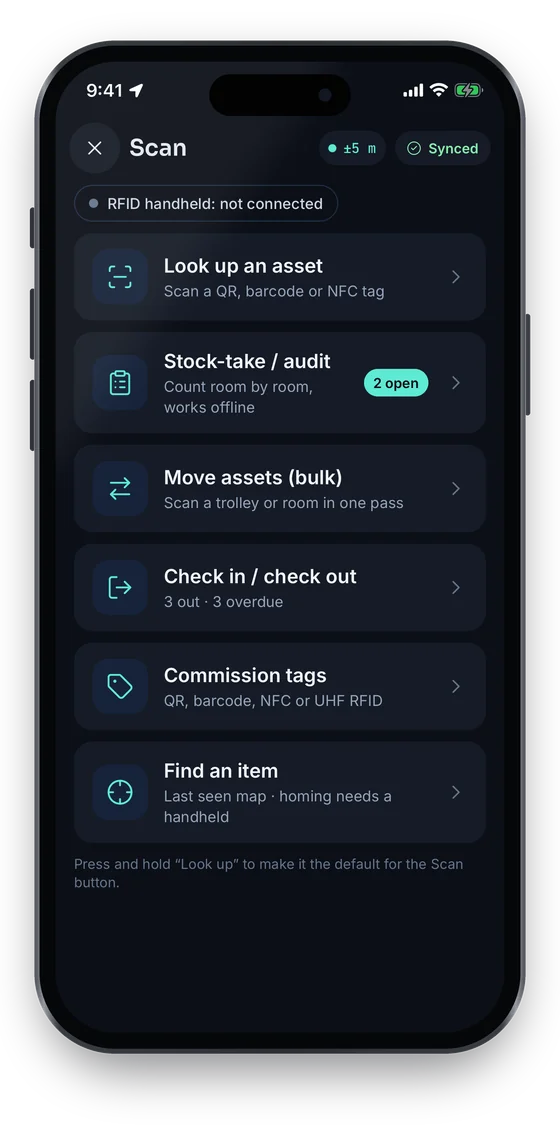
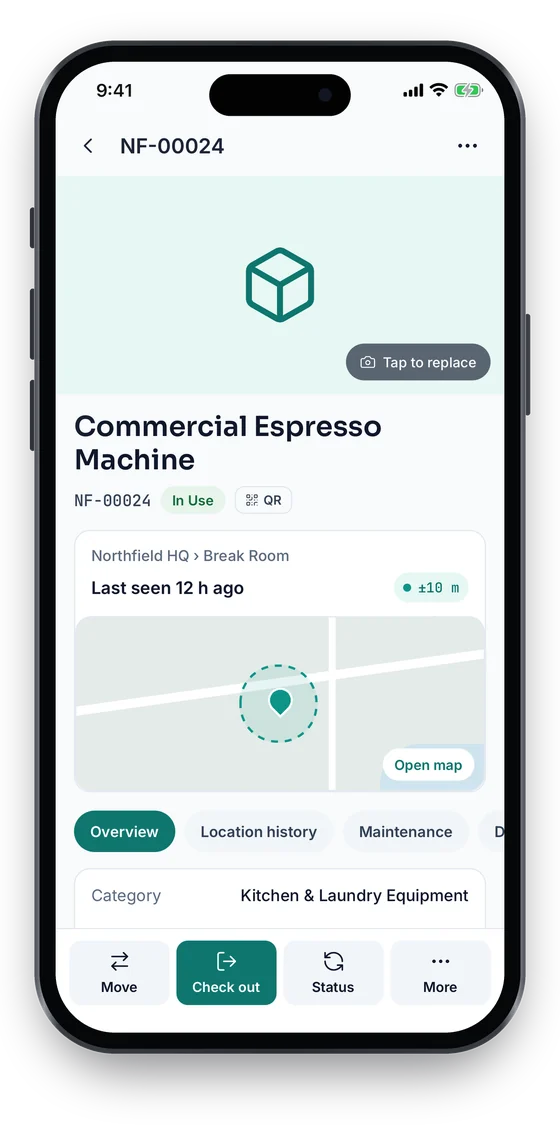
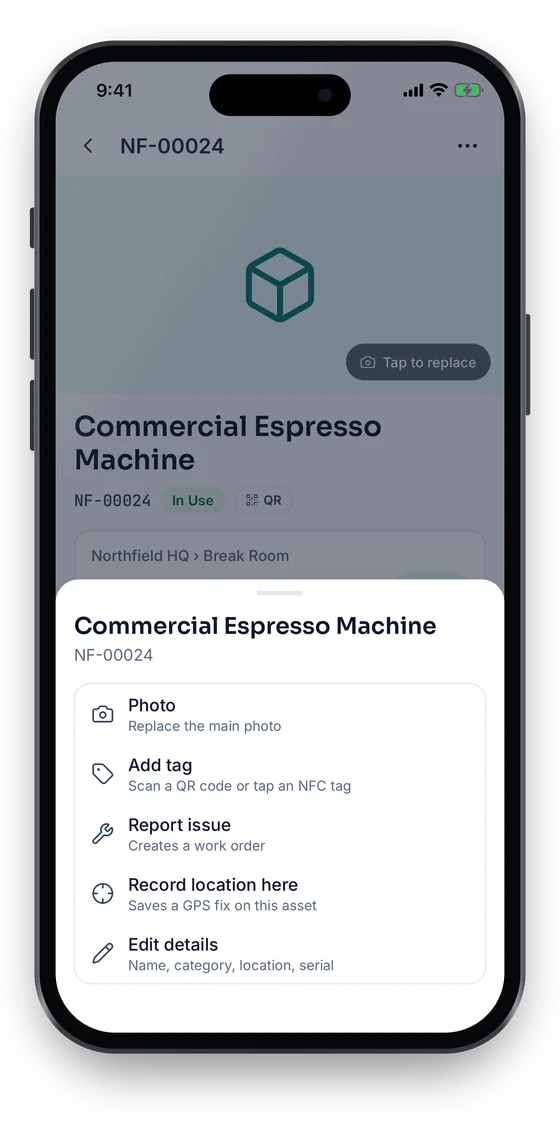
Swipe to see more screens →
- Asset
- NF-00412 · Generator G-102 · In use
- Rule
- Warehouse generators stay on site
- Condition
- Left zone · scope Zone: Dallas Warehouse
- Channel
- Email → ops-dallas@northfield.example
- Reader
- Dallas DC — Exit gate portal (Fixed portal)
- Zone
- Dallas Warehouse · WH-DAL
- Tag EPC
- E2801160600002A4C1F3B702
- Direction
- out · RSSI −51 dBm
- Observed
- 29 Sep 2026, 14:02:11 (reader clock)
- Event
- #48213 · signed, nonce verified
- Event received14:02:12 · exit gate portal, 3 reads in batch
- Rule matched → alert raised14:02:12 · “Warehouse generators stay on site”
- Acknowledged by Daniel Okafor14:05:40 · 3 min after raise
- ResolvePending — generator located on trailer T-31
Seen enough to want the guided version? Book my demo ↑
Your 30 minutes
Your Asetavo walkthrough, minute by minute.
A typical agenda — we’ll spend longer on the workflows you pick and skip what you don’t need.
- 00–05min
Understand your operation
We’ll look at
- Asset volume
- Locations
- Departments
- Current tracking process
- Existing spreadsheets & systems
- Tagging needs
- 05–10min
Build the asset register
See
- Asset
- Location
- Custodian
- Documents
- History
- 10–15min
Identify and locate assets
See
- QR
- Barcode
- NFC
- UHF RFID
- Readers
- Zones
- 15–20min
Run daily operations
See
- Check-outs
- Moves
- Audits
- Mobile
- 20–25min
Keep assets operational
See
- PM schedules
- Work orders
- Service history
- 25–30min
Management & finance
See
- Depreciation
- Reports
- Dashboard
- API & webhooks
Bring your operation
Bring your real workflow — not a generic sales demo.
Tell us what you manage and we’ll demonstrate the workflow that matches it. Pick your operation to see what we’d show.
Hospitality walkthrough
- 1Room
- 2Asset
- 3Housekeeping / engineering
- 4Maintenance
- 5Audit
Rooms as locations, furniture and equipment per room, engineering work orders and a property-wide count.
Focus: Asset register · Maintenance · Audits
Choose what to see
What do you want to see?
Pick two or three. Your choices go straight into the booking form.
Physical to digital
Watch a physical asset become a digital one.
The thread that runs through the whole demo — one laptop, from label to report.
Dell Latitude 7440NF-00042 · Serial 7HX4Q93 · Sample
- 01Real assetDell Latitude laptop
- 02TagQR label + UHF RFID
- 03ScanPhone or reader
- 04AsetavoVerified + recorded
- 05Asset 360One complete record
- 06LocationHQ › Floor 2 › Room 204
- 07CustodianRachel Kim, Finance
- 08AuditFound in September count
- 09MaintenanceBattery replaced
- 10ReportRegister, value, history
Who should join
Who should join the demo?
- OperationsAsset movement, locations, custody and workflows.
- FinanceAsset value, depreciation and reporting.
- ITDevices, users, permissions and integrations.
- FacilitiesBuildings, rooms, equipment and maintenance.
- Asset managementRegister, tagging, audits and lifecycle.
You don’t need everyone. Bring the people responsible for the workflows you want to improve.

What to bring
You don’t need to prepare a presentation.
If you have them handy, these make the walkthrough more relevant:
- Your current asset spreadsheet
- Roughly how many assets you have
- How many sites or locations
- How you tag assets today, if at all
- A few example asset categories
- How you run audits today
- Your maintenance workflow
- Systems you’d want to connect
Have none of these ready? That’s fine — we’ll demonstrate Asetavo on an example operation.
What happens next
From request to running workspace.
- Request
Send the form — it takes about a minute.
- Confirm
We reply by email to agree a time that suits you.
- Discover
A few questions about your assets and workflows.
- Demo
Asetavo, shown on the workflows you picked.
- Plan
Rollout, users, tags, hardware and the right plan.
- Start
Create your workspace whenever you’re ready.
Pricing is public — and we’ll help you choose.
Starter is free for 100 assets and 2 users. Growth is $46/month and Business $83/month; Enterprise is quoted. On the call we’ll recommend a plan and talk through tags or hardware if you need them.
Demo questions
Let’s put your asset operation on the screen.
Tell us what you manage, and we’ll show you how Asetavo handles the workflow.