Maintain facilities around real assets
Tie work orders, preventive-maintenance schedules, calibration and service history to the tagged assets they belong to.

Who it’s for
Facilities managers
Plan PM, assign work and see maintenance cost by asset or site.
Maintenance technicians
Scan an asset’s tag to open its jobs and history on the spot.
Operations
Know what is in repair and how long equipment has been down.
Everything in one register
Asset-linked work orders
Corrective, preventive, inspection and calibration jobs on the asset itself.
PM schedules
Intervals by days, weeks, months or usage with a due list.
Calibration records
Results and next-due dates kept against each instrument.
Service history
Every job, part and note on the asset’s timeline.
Cost & downtime
Parts, labour and downtime minutes captured per work order.
Contracts
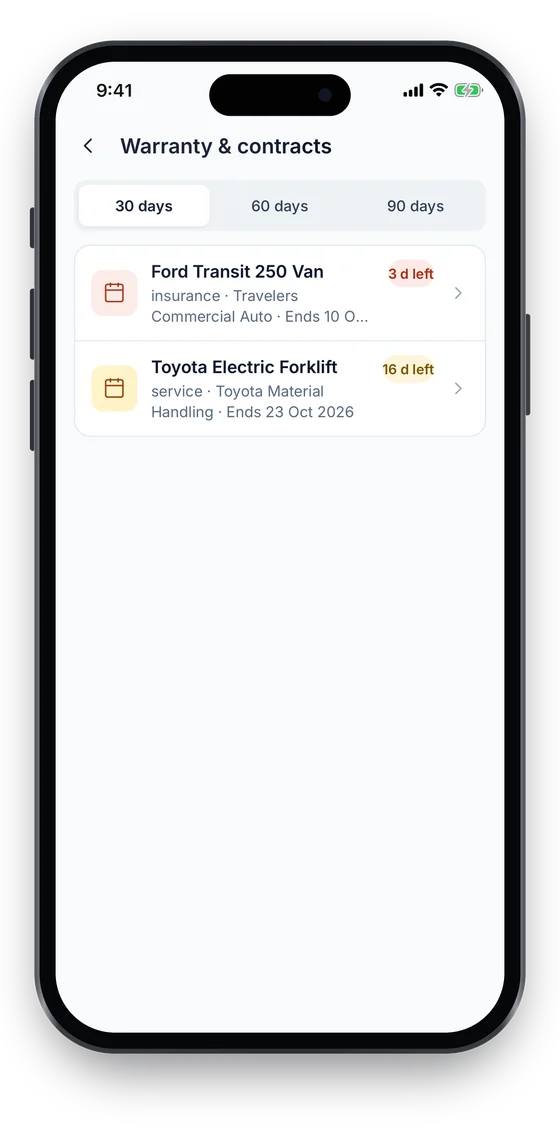
Service and AMC contracts linked to assets, with an expiring list.
Work orders and PM schedules on the asset record
- Corrective, preventive, inspection and calibration work orders with priorities and statuses.
- PM schedules by days, weeks, months or usage produce a due list; you generate the work order when it is due.
- Parts and labour cost, downtime minutes and vendor recorded on every job.
Maintenance, PM schedules and calibration from Business. Compare plans →
On the phone
Jobs closed out where the asset is
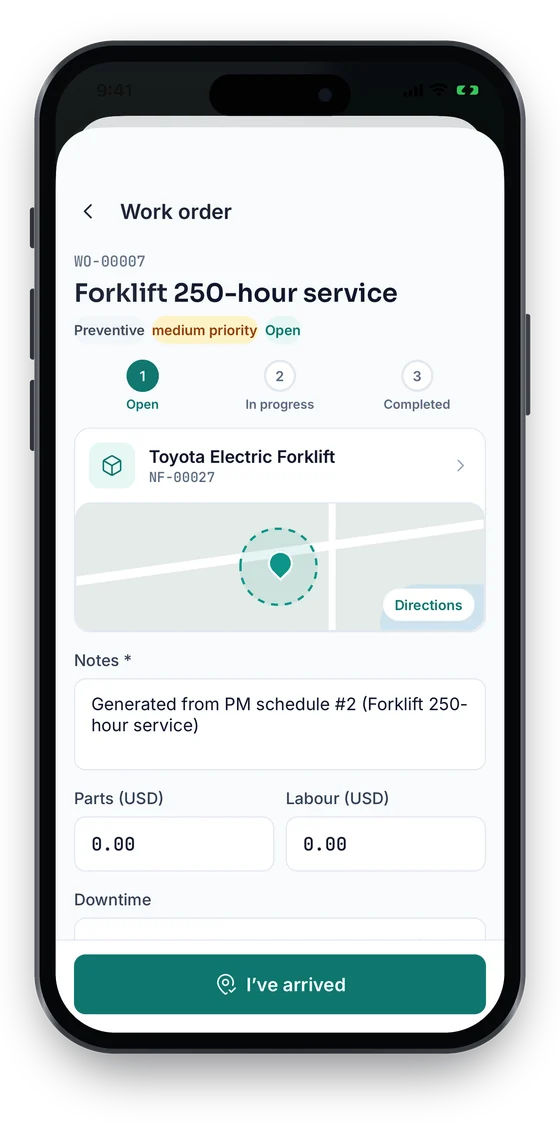
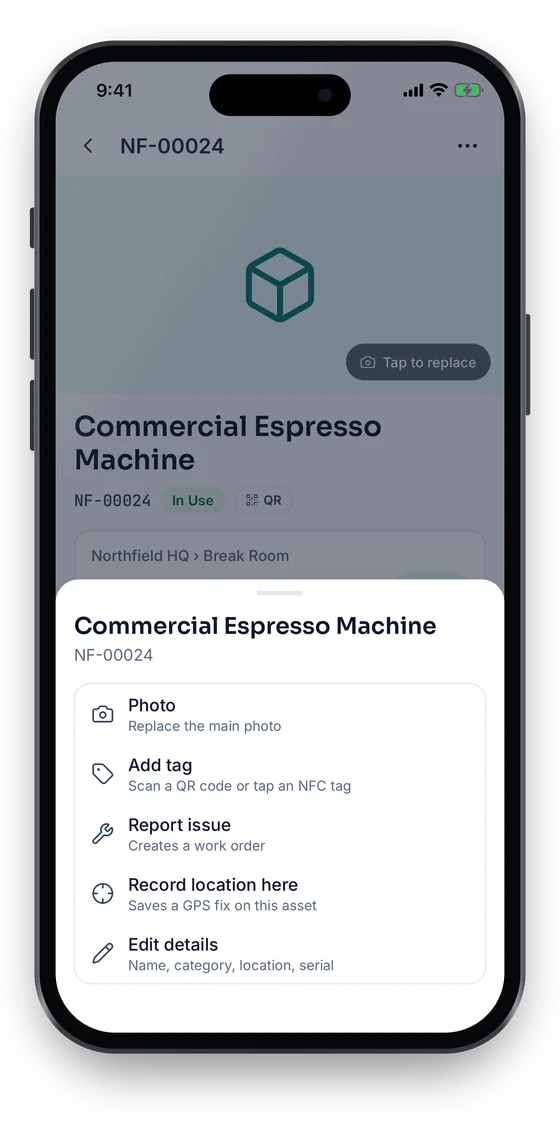
Technicians follow each work order from Open to Completed with notes, photos, parts and labour, and tap I’ve arrived to log attendance. Anyone can report an issue from an asset, which creates a work order. Warranty & contracts lists what ends in the next 30, 60 or 90 days.
Swipe to see more screens →
Facility & Maintenance Management, step by step
Tag assets
Label equipment so technicians can open its record by scanning.
Schedule PM
Set intervals per asset; due items appear on the PM due list.
Execute
Generate and assign the work order, then move it to completed.
Review
Read cost, downtime and history per asset when planning replacements.
Free tools & pricing
Frequently asked questions
Ready to account for every asset?
Tag, track and audit everything you own — from a handheld scanner to a boardroom report.
No card required · Workspace ready in minutes · Simple USD pricing
