Stock take software: know what you have and what is missing
Keep an inventory of every tagged item across your sites and count it with scoped stock-takes — found, missing and unregistered, in one report.

Who it’s for
Operations
Need one list of what exists across sites and stores.
Stores & stockrooms
Count shelves and cages without paper sheets.
Finance
Need counts that tie back to the register at year end.
Everything in one register
Tagged inventory
Every item with its tag, category, location and status.
Location hierarchy
Property → building → floor → room, so counts can be scoped.
Scoped stock-takes
Count one room or a whole site as a session.
Variance report
Found, missing and unregistered items, exportable to Excel or CSV.
Bulk RFID reads
Read many UHF tags at once with a handheld reader.
Offline scan queue
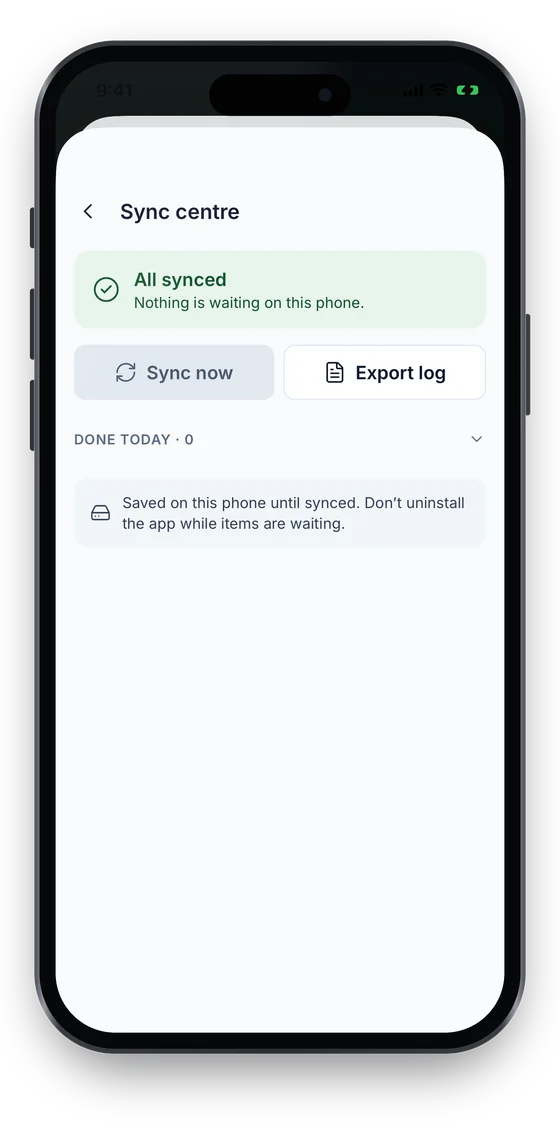
The native iOS and Android app (coming soon to the stores) queues stock-take scans offline.
Counts that reconcile against the register
- Scope a stock-take to a property, building, floor or room.
- Scan QR, barcode or NFC on a phone, or bulk-read UHF RFID with a handheld.
- Review variances, then resolve them into the register; the variance report exports to Excel or CSV.
QR/barcode on every plan · stock-takes from Growth · UHF RFID bulk reads from Business. Compare plans →
On the phone
Count a room, even without signal
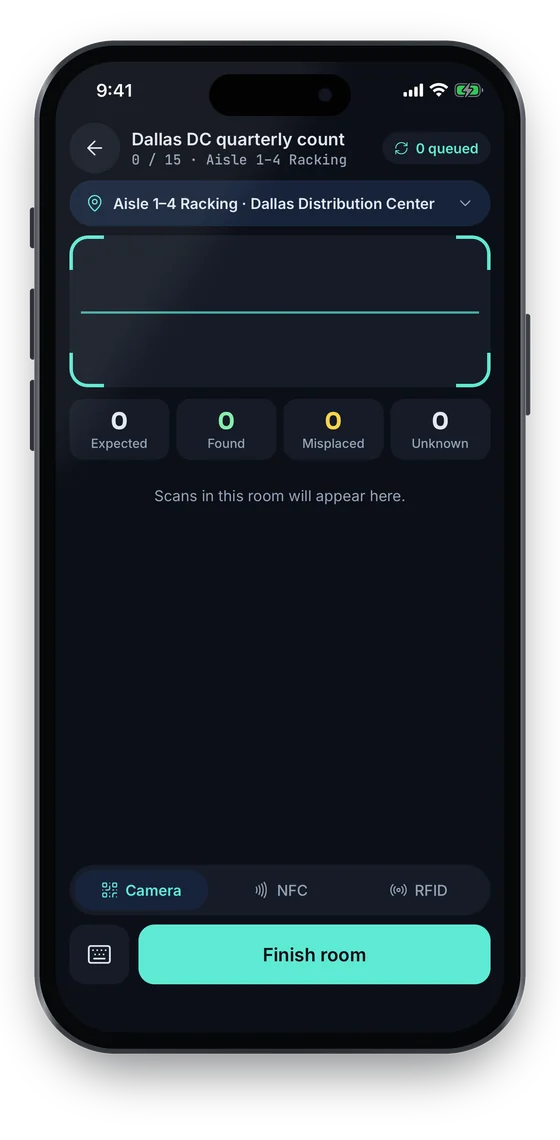
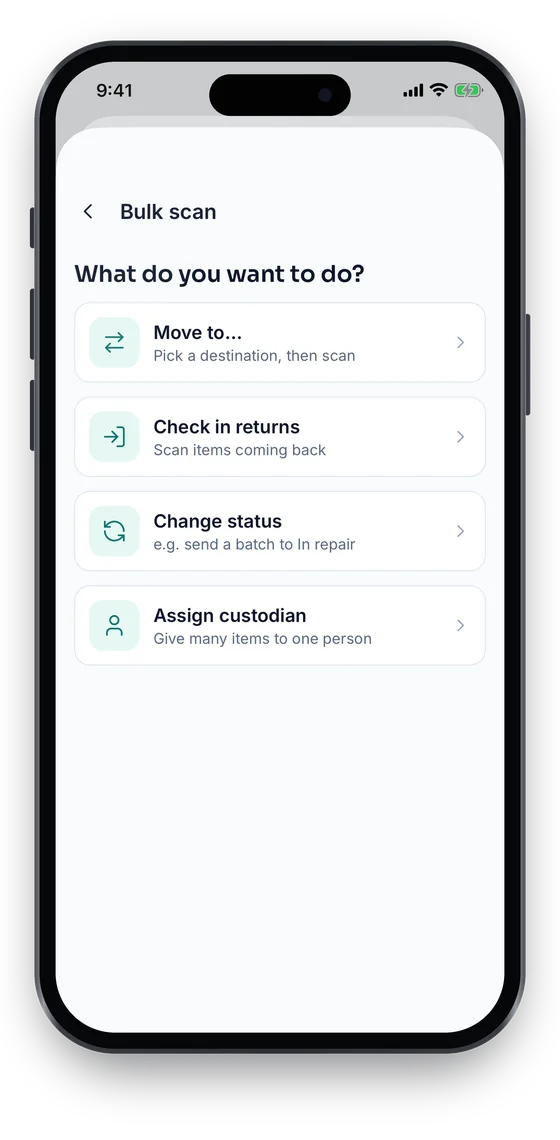
Stock-takes run room by room with expected, found, misplaced and unknown counters as you scan. Scans wait on the phone when there is no signal and sync exactly once, and a bulk scan moves or re-statuses a whole room in one pass.
Swipe to see more screens →
Equipment Inventory, step by step
Import
Load your list with the Excel/CSV import wizard; missing locations and categories are created.
Tag
Label each item, or kit, with a QR, NFC or RFID tag.
Count
Start a stock-take for a location and scan what is there.
Reconcile
Review found, missing and unregistered items and update the register.
Frequently asked questions
Ready to account for every asset?
Tag, track and audit everything you own — from a handheld scanner to a boardroom report.
No card required · Workspace ready in minutes · Simple USD pricing
