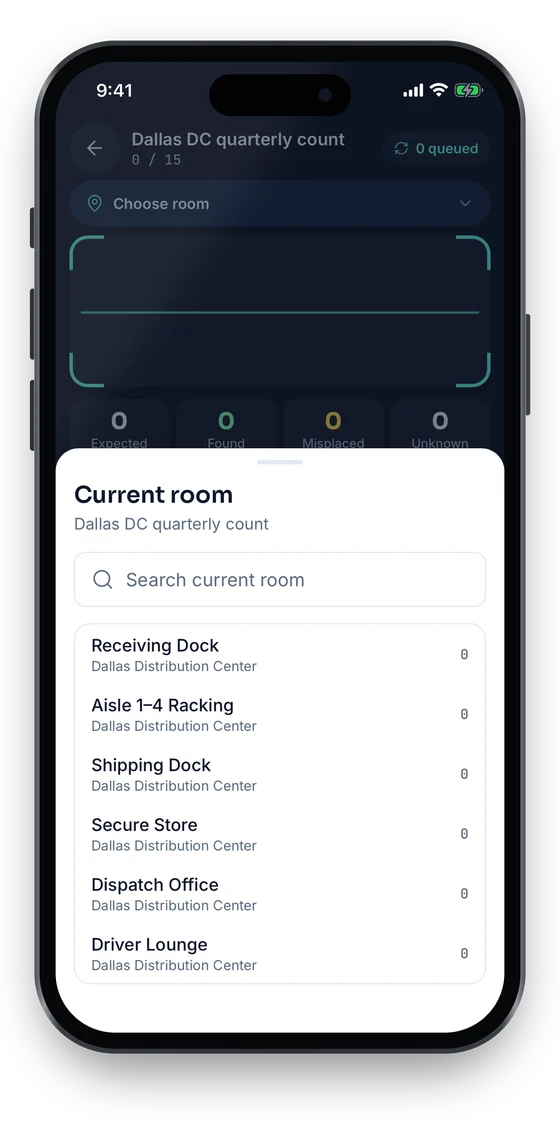
1Pick the room
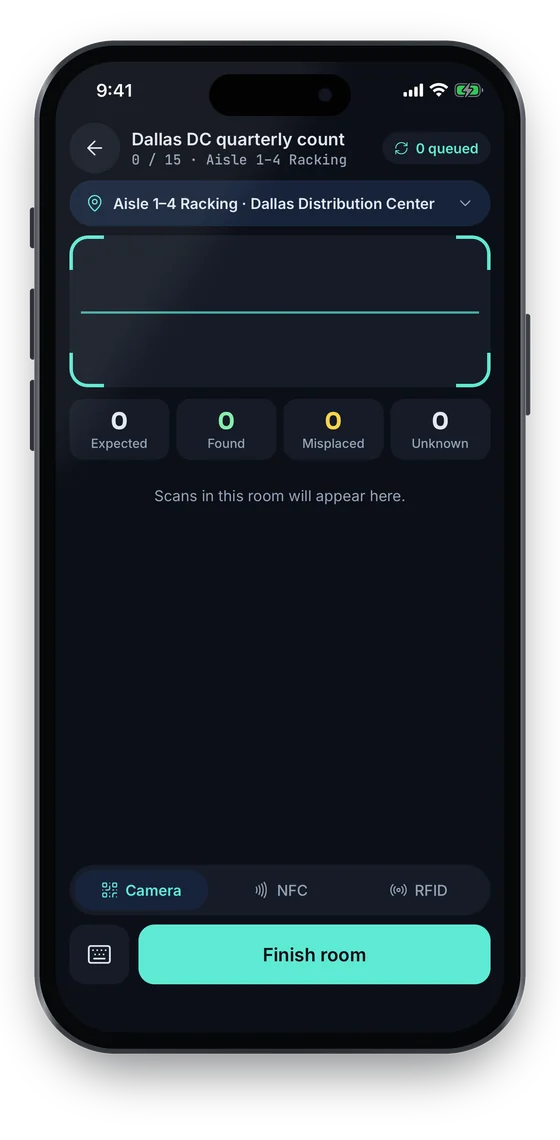
2Scan · works offline
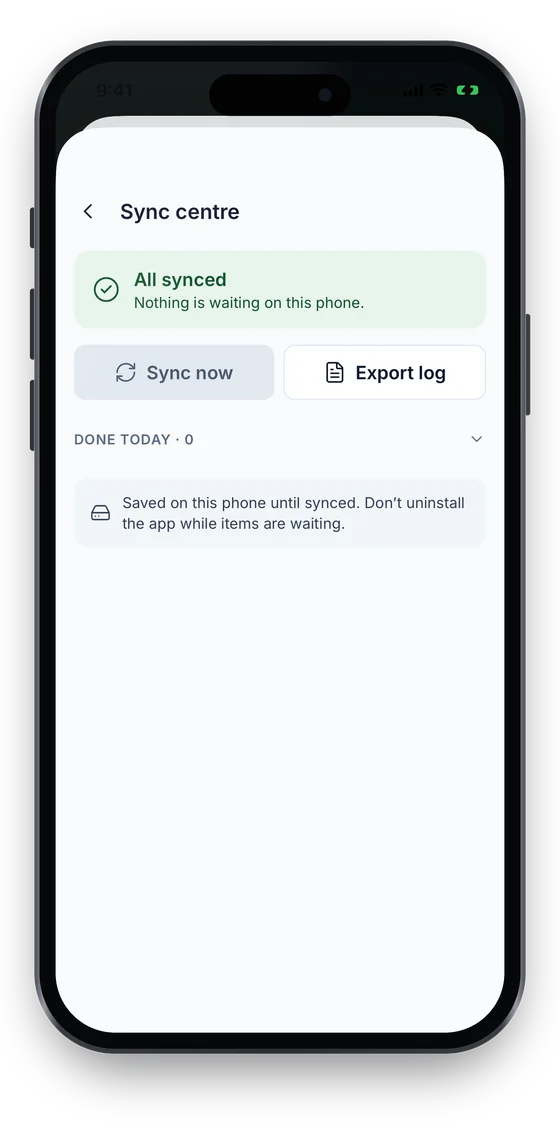
3Syncs exactly once
Swipe to see more screens →
Counting room by room
Sample data
Scope an audit to a site, a floor, a room or a category, count it by scanning with a phone, a handheld barcode scanner or a UHF RFID reader, and get a variance list of what was found, missing, misplaced or never registered. Resolve each one and the register is right again.
The way it usually works today, and the way it works once it lives in one system.
Before: Auditors walk the floor with a printed list, tick boxes by hand and key the results in for days.
With Asetavo: Counters scan labels into a live session. When counting stops, Reconcile compares the scans with the expected list in one step.
Before: The register says 1,200 assets; nobody can say which ones are really there.
With Asetavo: Every asset in scope ends the count as found, missing or misplaced, and tags nobody registered show up as unregistered.
Before: Missing items are written off in a spreadsheet that never makes it back into the register.
With Asetavo: Each variance is resolved in the register itself: confirm the move, write it off, ignore it or register the unknown tag.
Before: External auditors ask for evidence of the last physical verification and get a folder of photos.
With Asetavo: The closed session keeps its scans, who scanned, where and how, plus the variance report exported to Excel or CSV.
Coded from the real Asetavo screens, with sample data for a fictional company, Northfield Group.
Real screens from the Asetavo app (coming soon to the App Store and Google Play): pick the room, scan, and every scan waits on the phone until it syncs, exactly once. The phone browser runs stock-take sessions today.
Swipe to see more screens →
Every card below is in the product today, on the plans shown above.
Audit everything, or one site, building, floor, location, category or department, so a count fits a day’s work.
Opening a session fixes the baseline from the register at that moment, so later edits do not move the goalposts.
Phone camera in any mobile browser, or a handheld barcode scanner, which scans Asetavo labels directly.
Read many UHF RFID tags in one pass with a handheld reader on the Business plan, for large rooms and stores.
Scans stream into the session with who scanned, where and with which method.
Found, missing, misplaced, unregistered and duplicate, listed on one worklist after Reconcile.
Confirm moved, write off, ignore, or register an unknown tag as a new asset, all with an audit trail.
Export the session’s variance report for finance and external auditors. Exports are Excel (.xlsx) and CSV.
Name it, for example "Floor 4 quarterly count", and choose the scope: everything, or one site, building, floor, location, category or department.
Opening takes the expected list from the register at that moment, so the count is measured against a fixed baseline.
Counters scan QR codes and barcodes with a phone camera or a handheld barcode scanner, or read UHF RFID tags with a handheld reader (Business). Scans stream into the session with who scanned, where and how.
Reconcile compares what was scanned with what was expected and builds the variance worklist: found, missing, misplaced, unregistered and duplicate.
Confirm a move (the asset is updated to where it was found), write it off, ignore it, or register an unknown tag as a new asset.
Export the variance report to Excel or CSV for finance and auditors, then close the session. Its scans and variances stay as the audit record.
A physical verification proves that the assets on the fixed asset register exist, are where the register says and are still in use. Asetavo runs that verification against the same register finance depreciates, so the count and the books never drift apart.
The expected list comes straight from the register, with cost and net book value on the same records (depreciation on Business).
Fixed asset register softwareMissing assets you write off leave the active register with who did it and when, ready for the disposal entry.
Depreciation and disposalExport the variance report to Excel or CSV. Pair it with the free verification report template for the sign-off page.
Verification report templateYou can mix methods in one session. Most teams start with phones and labels on the free plan’s QR codes, then add a scanner or RFID where counts are large.
Nothing to buy. Good for offices, classrooms and small stores where items are easy to reach.
QR and barcode trackingFaster than a phone for long runs of labels, such as a storeroom shelf or an IT cage.
Tag optionsReads many tags without line of sight, for warehouses and stores with hundreds of items per room (Business).
RFID readers| Criteria | Printed list | Spreadsheet | Asetavo |
|---|---|---|---|
| Expected list | Printed on the day | Copied and filtered by hand | Taken from the register when the session opens |
| Counting | Tick boxes | Type tag numbers | Scan by phone, scanner or RFID |
| Finds misplaced items | Rarely | With lookups | Yes, as a variance type |
| Finds unregistered items | Only if noted | Only if typed | Yes, every unknown tag is listed |
| Updates the register | Re-keyed later | Copy-paste | Resolve each variance in place |
| Evidence afterwards | Paper file | A version of the sheet | Closed session plus Excel/CSV report |
Estimate how long your next count will take with the free audit time calculator.
Reconcile compares the session’s scans with the expected list taken when the session was opened.
A count is only useful as evidence if it can be trusted. These rules come with every session.
Walk us through your sites and we’ll show you audits & stock-takes set up the way you’d use it.
Book a demoImport your register, print labels and count your first room. Audits and stock-takes come with the Growth plan.
No card required · Workspace ready in minutes · Simple USD pricing
