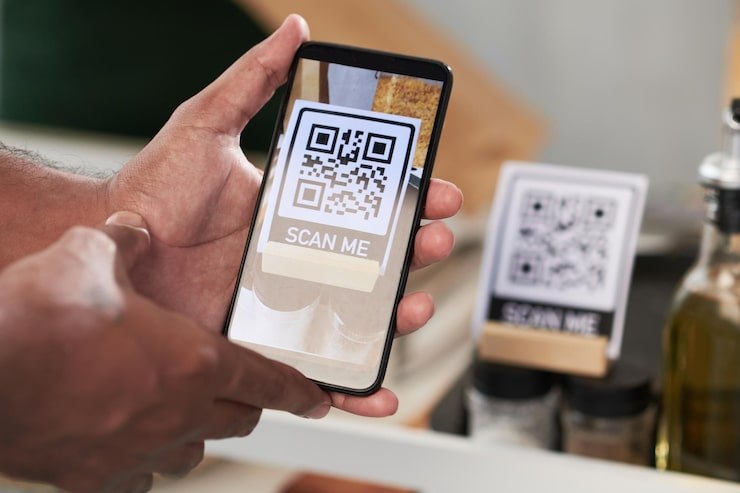
A QR code (Quick Response code) is a two-dimensional barcode: a grid of black and white modules that encodes data both horizontally and vertically. It was developed in 1994 by Denso Wave for tracking automotive parts and is now an open ISO standard (ISO/IEC 18004). Because every smartphone camera can read one, a QR code is the lowest-cost way to put a scannable identity on an asset.
How a QR code works
The three large squares in the corners are finder patterns that let a camera locate the code and work out its orientation from any angle. Smaller alignment and timing patterns help correct for distortion. The remaining modules hold the data plus Reed–Solomon error correction, so a code can still be read when part of it is dirty or damaged. There are four error-correction levels — L, M, Q and H — which can restore roughly 7%, 15%, 25% and 30% of the code respectively. Higher levels make the code denser, so there is a trade-off between robustness and size.
What to put in an asset QR code
Encode a short, stable identifier — an asset ID or a short URL containing it — not the asset's details. Descriptions, locations and custodians change; the label on the asset should not have to. Keeping the payload short also keeps the code less dense, which makes it easier to scan from a distance or on a small label.
Choosing QR labels
- Material — paper labels are fine for indoor, low-wear items; polyester or polypropylene labels resist moisture; anodized aluminum or laminated tags survive outdoor and industrial use.
- Size — larger modules scan from further away. Test at the distance people will actually scan from.
- Quiet zone — leave a blank margin around the code; printing it edge-to-edge hurts readability.
- Human-readable ID — print the asset ID next to the code so staff can type it if a label is damaged.
- Placement — put labels where they are visible without moving the asset, and consistently across similar assets.
QR codes vs barcodes, NFC and RFID
| Item | QR code | 1D barcode | NFC | UHF RFID |
|---|---|---|---|---|
| Reader | Any phone camera | Scanner or phone | Most phones | Dedicated reader |
| Line of sight | Yes | Yes | No (a few cm) | No (meters) |
| Bulk reads | No | No | No | Yes |
| Copyable | Yes | Yes | Harder | Harder (with TID checks) |
| Label cost | Lowest | Lowest | Low–moderate | Low–moderate |
QR codes are best where assets are scanned one at a time and cost matters most — office furniture, IT peripherals, low-value tools, or as a backup label on RFID-tagged assets. For bulk counting or automatic detection, see UHF RFID. Our RFID vs NFC vs QR guide compares them in depth.
Limitations
- One scan at a time, with a clear view of the label — slow for large audits.
- Anyone can photograph and reprint a QR code, so a scan proves someone saw a code, not that they were next to the asset.
- Labels can fade, peel or be painted over; plan for replacement.
How Asetavo uses QR codes
QR and barcode tagging are included on every plan, including the free Starter plan. You commission a QR label to an asset by scanning it (or buy labels pre-printed from the Tags store), and anyone with the Asetavo mobile app can scan one to view the asset, move it, check it out or record it during a stock-take. Because the register is the source of truth, you can later add NFC or RFID tags to the same asset without replacing the QR label.
