Every tag technology trades off cost, read range, read speed and durability differently. There is no single "best" tag — only the best tag for a particular asset, in a particular environment, read in a particular way. This guide explains how barcode, QR, NFC and UHF RFID work, compares them head to head, walks through the real costs, and gives you a recommendation framework you can apply category by category across one asset register.
Why tag choice matters
The tag is the bridge between a physical object and its record. If that bridge is unreliable, everything built on it — check-outs, audits, maintenance history, depreciation — inherits the unreliability.
Tag choice affects:
- How often assets actually get scanned. A tag that is slow or awkward to read gets skipped.
- How long audits take. One-at-a-time scanning scales linearly with asset count; bulk reading does not.
- Whether movement is detected automatically or only when someone remembers to record it.
- Total cost — tags, readers, infrastructure, and the labour of reading.
- Durability — a tag that falls off or fades in two years has to be replaced, and the gap in between is a gap in your data.
Getting it right up front is much cheaper than re-tagging later.
How each technology works
Barcode (1D)
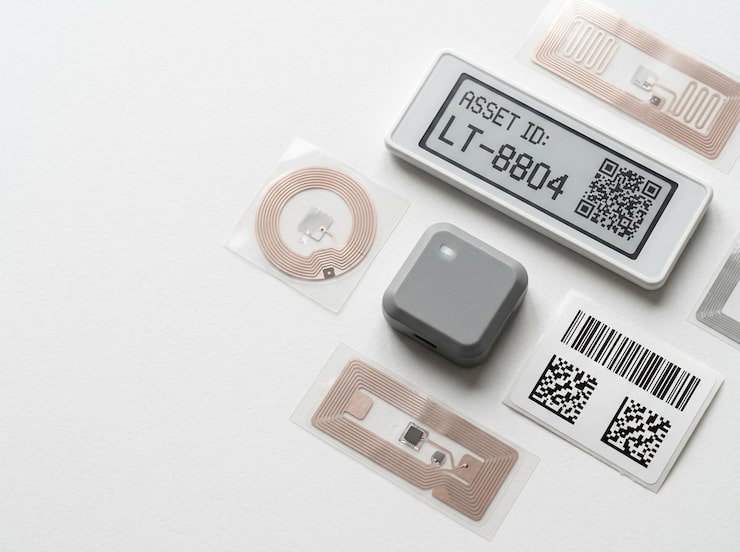
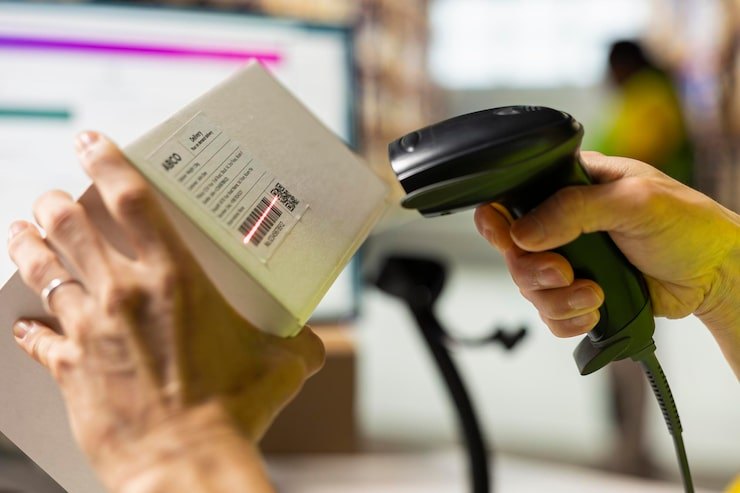
A linear barcode encodes a short string — usually the asset ID — as a pattern of bars and spaces. A laser or camera-based scanner reads it with line of sight. Barcodes are the oldest and most widely supported option: many existing inventory systems, printers and scanners are built around them. They carry little data and need a reasonably flat, clean, well-lit label. See barcode in the glossary.
QR code (2D)
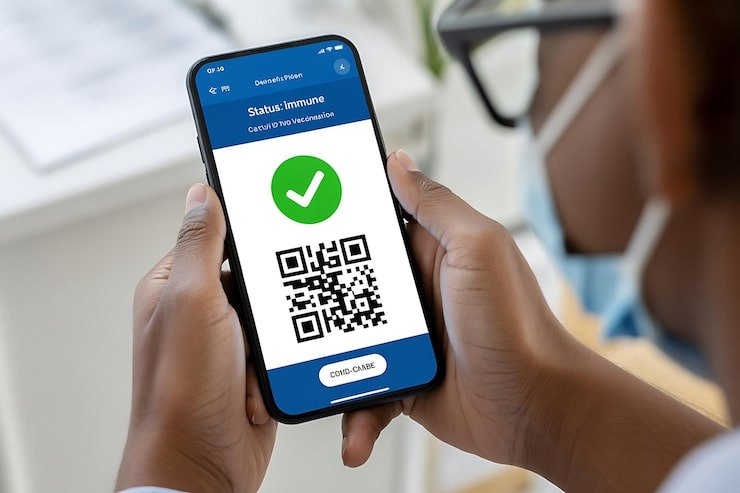
A QR code stores data in a square grid of modules. It holds more data than a 1D barcode in less space, reads from any orientation, and includes error correction, so a partly damaged code can still be read. Crucially, every modern smartphone camera can read it, which makes QR the lowest-friction option for organizations where many people need to identify assets. Line of sight is still required, and codes are read one at a time.
NFC
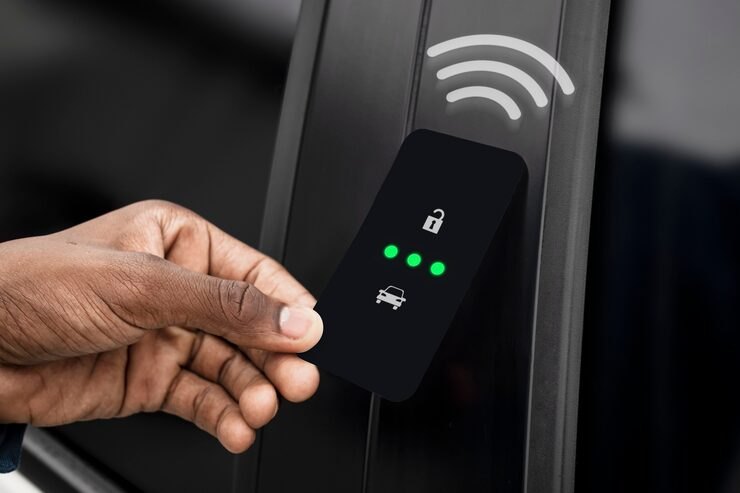
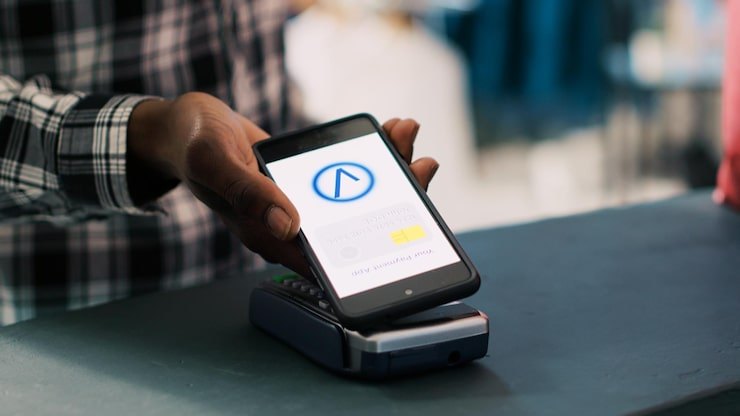
NFC (near-field communication) is a short-range form of high-frequency RFID operating at 13.56 MHz. A phone or reader powers the tag by magnetic induction when they are a few centimetres apart — in practice, you tap the phone on the tag. NFC does not need line of sight to a printed code, so the tag can sit under a protective cover or paint. Most modern smartphones can read NFC tags. Some NFC chips support cryptographic features that make them much harder to clone than a printed code, which is useful for tamper-evident or anti-counterfeit applications. Like QR, NFC reads one tag at a time.
UHF RFID
Passive UHF RFID operates in the 860–960 MHz range (the exact band depends on the region) and follows the EPC Gen2 standard (ISO/IEC 18000-63). A reader's antenna radiates energy; every tag in the field powers up and replies with its EPC, using a protocol designed to let many tags answer in quick succession. That is what makes UHF different from everything else in this guide: it reads many tags at once, at distance, without line of sight. Read ranges of several metres are typical with handheld readers; fixed antennas at doorways can create RFID portals that detect movement automatically. The trade-offs are cost of readers, sensitivity to metal and liquids, and more complex setup.
What about other technologies?
- HF RFID (non-NFC) at 13.56 MHz, such as ISO 15693 "vicinity" tags, reads up to around a metre with suitable readers. It is common in libraries and some healthcare applications, less common for general asset tracking.
- LF RFID (125–134 kHz) is short-range and used for access badges and animal identification.
- Active RFID and Bluetooth Low Energy (BLE) beacons use battery-powered tags that broadcast. They enable room-level or better location, at much higher cost per tag and with battery maintenance.
- GPS trackers give outdoor position for vehicles and large mobile equipment, typically with a subscription. Asetavo supports hardware GPS trackers on the Business plan and records a GPS fix with each mobile scan from Growth (see GPS asset tracking); this guide focuses on the tag technologies.
Head-to-head comparison
| Factor | Barcode | QR code | NFC | UHF RFID |
|---|---|---|---|---|
| Read method | Scanner or camera | Phone camera or scanner | Tap with NFC phone or reader | Handheld, sled or fixed reader |
| Line of sight | Required | Required | Not required, but must be very close | Not required |
| Typical range | Close range (longer with dedicated scanners) | Close range; scales with printed size | A few centimetres | Up to several metres |
| Bulk reads | No | No | No | Yes |
| Automatic movement detection | No | No | No | Yes, with fixed readers |
| Works on metal | Yes | Yes | Needs on-metal tag | Needs on-metal tag |
| Near liquids | Yes | Yes | Generally fine | Performance drops; test carefully |
| Readable by any smartphone | Yes (camera) | Yes | Most modern phones | No — needs dedicated hardware |
| Clone resistance | Low | Low | Low to high, depending on chip | Moderate; unique TID helps detect clones |
| Relative tag cost | Lowest | Lowest | Low | Low (labels) to moderate (on-metal, hard tags) |
| Reader / infrastructure cost | None to low | None | None to low | Moderate to significant |
Read range and line of sight in practice
Datasheet ranges assume ideal conditions: the tag in free space, facing the antenna, with nothing in between. Real assets are not like that.
QR and barcode range scales with printed size. A common rule of thumb is that a phone can scan a QR code from about ten times its width, so a 25 mm code scans comfortably from around 25 cm. Lighting, glare, curvature and dirt all reduce this.
NFC is deliberately short-range. A few centimetres is a feature, not a bug: it means you read exactly the tag you tapped, never its neighbour.
UHF range depends on everything. Tag size and design, reader power, antenna type, tag orientation, the material the tag is mounted on and what surrounds it all matter. A tag that reads at several metres on a cardboard box might read at a fraction of that on a painted steel cabinet — unless you use an on-metal tag. Always test with the actual assets.
Line of sight is the practical dividing line. If someone has to see the label, someone has to go to the asset. If the reader can see through packaging, cases or covers, the asset can come to the reader — or pass a portal without anyone noticing.
Speed: one at a time versus bulk
For small counts the difference is irrelevant. For large counts it dominates.
Illustrative example with assumed rates: a store with 2,000 tagged items.
- QR, one at a time. Assume 15 seconds per item including finding and handling it: 2,000 × 15 s = 30,000 s, about 8.3 person-hours per full count.
- UHF, bulk sweep. Assume a person sweeps and checks each of 30 bays in 3 minutes: 30 × 3 = 90 minutes, or 1.5 hours per count.
The exact numbers will differ on your site, but the shape will not: one-at-a-time time grows with the number of items, while bulk-read time grows mainly with the number of areas. The denser your storage, the bigger the gap.
Durability and environment
Match the tag's construction to where it will live:
- Indoor offices: printed polyester QR or barcode labels last for years.
- Workshops and warehouses: laminated synthetic labels resist abrasion and oils; on-metal RFID tags for tools and machinery.
- Outdoors: UV-stable materials, anodized aluminium plates, encapsulated hard tags.
- Wash-down, sterilization or chemicals: check the tag and adhesive ratings explicitly; some tags are rated for autoclaves or industrial laundries.
- High temperature: specialized tags exist, but check the rating against the actual peak temperature.
Adhesive fails more often than the tag itself. Clean the surface first, use the adhesive recommended for the material, and consider mechanical fixing (rivets, screws, cable ties) for vibration-heavy or outdoor equipment.
Security and tamper resistance
- Printed codes are trivially copied. Anyone can photograph and reprint a QR code. That is fine for identification — just not for proving authenticity.
- Tamper-evident labels leave a "VOID" pattern or fragment when removed, which deters swapping labels between assets.
- NFC chips with cryptographic authentication can prove a tag is genuine and unmodified, which printed codes cannot.
- UHF tags carry a factory-programmed TID (TID) alongside the writable EPC. Recording both lets software flag a suspected clone when an EPC appears with the wrong TID.
For most asset tracking, the practical threat is not sophisticated cloning — it is labels being removed, lost or moved to another item. Tamper-evident materials and clone detection cover that.
Cost considerations
Tag price is only one part of the cost. Think in four buckets.
1. Tags
Indicative ranges only — actual prices vary widely with volume, specification, customization, supplier and region. Always get quotes.
| Tag type | Indicative price per tag |
|---|---|
| Printed barcode / QR on synthetic label | A few cents to around $0.50 |
| Metal (anodized aluminium) QR / barcode plate | Around $1 and up |
| NFC sticker or tag | Roughly $0.20 to $2; more for on-metal or rugged versions |
| UHF RFID label (inlay) | Roughly $0.05 to $0.50 in volume |
| On-metal or hard UHF RFID tag | Roughly $1 to $10 or more |
2. Readers and infrastructure
- QR and barcode: smartphones people already carry; optional dedicated scanners for busy counters.
- NFC: most modern smartphones.
- UHF RFID: handheld readers or phone sleds (indicatively in the low thousands of dollars each) for audits; fixed readers, antennas, cabling, mounting and installation for each portal (indicatively several thousand dollars per doorway). Budget for a site survey and tuning.
3. Labour to apply tags
Applying tags is usually similar across technologies — the walk-through dominates. RFID adds encoding (writing the EPC) and verification, unless you buy pre-encoded tags.
4. Labour to read tags
This is where RFID earns its keep, and it recurs every time you count.
A worked cost comparison
Illustrative example. Every number is an assumption — replace them with your own.
A depot with 2,000 assets considers QR everywhere versus UHF RFID everywhere.
- QR: 2,000 labels × $0.25 = $500. No reader cost.
- UHF RFID: 2,000 tags at an average of $1.50 (a mix of labels and on-metal tags) = $3,000, plus one handheld reader at $2,000 = $5,000.
- Extra upfront cost of RFID: $5,000 − $500 = $4,500.
Counting labour, at $30 per hour and the rates from the speed example above (8.3 hours per QR count, 1.5 hours per RFID count):
| Counts per year | QR labour per year | RFID labour per year | Annual saving | Payback on $4,500 |
|---|---|---|---|---|
| 4 (quarterly) | 33.3 h = $1,000 | 6 h = $180 | $820 | about 5.5 years |
| 12 (monthly cycle counts) | 100 h = $3,000 | 18 h = $540 | $2,460 | about 1.8 years |
Two lessons follow. First, on audit labour alone, RFID pays back only when you count often or have a lot of items. Second, the biggest RFID benefits often are not in this table at all: automatic movement detection, fewer losses, and a register that stays current without anyone scanning. If losses are expensive, a single prevented loss may outweigh the labour calculation entirely. And because RFID does not have to go on everything, the best answer is often a mix — RFID on the 20% of assets where it matters, QR on the rest.
Estimate your own numbers with the RFID vs barcode calculator.
A recommendation framework
Work through these questions for each asset category — not for the organization as a whole.
Step 1: How will this asset be read?
- Only during tasks someone already does (check-out, inspection, annual audit) → QR or barcode is enough.
- By many different people, some of whom are not trained → QR, because every phone reads it.
- Tapped at a fixed point, such as a key cabinet or reception desk → NFC.
- Without anyone scanning — you need to know when it moves → UHF RFID with fixed readers.
- Counted in large numbers in dense storage → UHF RFID with handheld readers.
Step 2: What is it made of, and where does it live?
- Metal → QR/barcode labels, or on-metal NFC/RFID tags.
- Outdoors or harsh → rugged materials in any technology; test RFID performance in situ.
- Covered, painted or dirty surfaces → NFC or RFID, which do not need a visible code.
Step 3: What does a loss cost?
- Low value, low risk → cheapest adequate tag, usually QR.
- High value or safety-critical, mobile → justify automatic detection with RFID portals and zone-exit alerts.
Step 4: What is your budget and timeline?
- Starting now, minimal budget → QR everywhere, then add NFC and RFID where the case is proven.
- Large, dense inventory with frequent counts → RFID for the dense areas from day one.
A simple scoring matrix
Score each category from 0 to 2 on these five factors. A total of 6 or more suggests UHF RFID is worth piloting for that category.
| Factor | 0 | 1 | 2 |
|---|---|---|---|
| Quantity in one area | Tens | Hundreds | Thousands |
| How often it moves | Rarely | Monthly | Daily |
| Value / risk per item | Low | Medium | High |
| How often you count | Yearly | Quarterly | Monthly or more |
| Movement goes unrecorded today | Never | Sometimes | Often |
The matrix is a conversation starter, not a formula. A category that scores 5 but where one loss would be catastrophic may still justify RFID.
Mixing technologies
Most organizations end up with a mix. Common patterns:
- Offices: QR on furniture and IT equipment; tamper-evident labels on laptops.
- Tool cribs and workshops: on-metal UHF RFID with a printed QR code on the face; a portal at the crib door.
- IT stores and data centres: RFID on servers and spares for fast counts; QR labels for field staff.
- Healthcare equipment pools: durable, cleanable tags; RFID where equipment moves between wards.
- Keys and access devices: NFC fobs checked out and in at a desk.
- Vehicles and outdoor plant: rugged metal QR plates or on-metal RFID; add a hardware GPS tracker where you need live position.
The rule that makes mixing work: one register, one ID per asset, any number of tags linked to it. Scanning the QR code or reading the RFID tag must open the same record.
Common mistakes
- Choosing one technology for everything — usually either too expensive or too slow.
- Buying tags before testing on the actual assets and readers.
- Ignoring metal — standard RFID labels on steel will disappoint.
- Encoding changeable data (location, owner) in the tag instead of just an ID.
- No human-readable ID printed on the tag as a fallback.
- Portals without tuning — stray reads from tags near, but not through, a door create false movements.
- No process for replacing damaged tags while keeping the asset's history.
Commissioning and placement by technology
However good the tag, it only works if it is linked to the right record and placed where it can be read.
Barcode and QR. Print the asset ID in human-readable text next to the code. Place labels on a flat, clean, visible surface, in the same position on every asset of a type, away from heat and abrasion. Prefer thermal-transfer printing on synthetic stock to direct thermal, which fades. Keep a quiet zone of blank space around the code.
NFC. Place the tag where a phone can be tapped naturally — phones have their NFC antenna in different places, so a larger target area helps. On metal, use tags designed for metal. Mark the tag position with a small printed icon so users know where to tap.
UHF RFID. Encode the EPC (or buy pre-encoded tags) and record the pairing of EPC, TID and asset ID at commissioning. Mount tags where the reader's field will reach them: not in a recess surrounded by metal, not on the underside of a steel frame, and in a consistent orientation relative to how assets pass through portals. Verify each tag reads after mounting — a failed tag found at commissioning costs seconds; one found during an audit costs an investigation.
For every technology, commissioning should be a scan-and-confirm step in your software, not a spreadsheet update afterwards. That is how you avoid the classic error of two assets sharing a tag, or a tag linked to nothing.
Regional and regulatory notes
- UHF frequency bands differ by region. For example, the United States uses roughly 902–928 MHz and Europe roughly 865–868 MHz. Buy readers certified for the region where they will operate, and be careful when moving readers between regions.
- Reader power limits are set by regulators and affect read range. A reader legally configured for one region may read differently from the same model configured for another.
- Tags themselves are generally designed to respond across the global UHF band, but performance can vary between bands; check the datasheet.
- NFC and QR have no comparable regional restrictions for asset tracking use.
Checklist before you order tags
- Have you agreed the asset ID format and printed it on every tag?
- Have you tested candidate tags on real assets, in the real environment, with the real readers?
- Do you know which categories get which technology, and why?
- Have you allowed for spares — typically a few percent extra for damaged or mis-applied tags?
- Do you have a process for replacing a damaged tag while keeping the asset's history?
- For RFID, do you have an EPC numbering scheme, and will tags arrive pre-encoded?
- Have you budgeted labour for the tagging walk-through, not just the tags?
Rolling out
- Define your register structure first — categories, locations, IDs. See how to build an asset register.
- Score each category with the framework above.
- Pilot each tag type on a sample of real assets for two to four weeks.
- Tag area by area, recording found, missing and unregistered as you go.
- Add readers only where the pilot proved the case.
- Review after six months — scan rates, audit times, losses — and adjust.
The implementation guide covers tagging thousands of assets in detail.
How Asetavo supports every tag type
Asetavo is tag-agnostic. Each asset in the register can carry a QR code, barcode, NFC tag or UHF RFID tag — or several at once. The mobile app reads QR, barcode and NFC with the phone itself, and UHF RFID through a sled, including a signal-strength "find item" mode, online or offline. Tagging covers mobile commissioning, tag inventory and clone-suspected logging. When you are ready for automatic tracking, fixed readers feed zones and real-time alerts.
QR and barcode are available on every plan, NFC from Growth, and UHF RFID with readers and zones on Business — see pricing. You can bring your own tags or buy pre-printed and pre-programmed tags from the Tags Store.