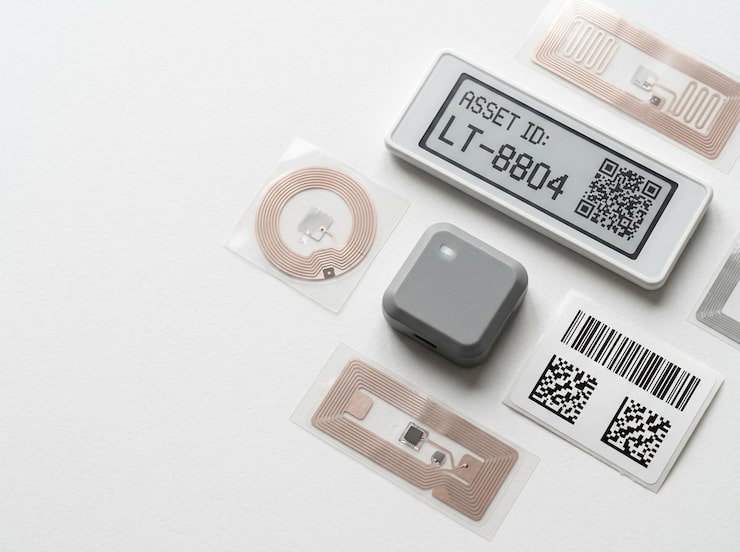
Standard RFID labels struggle on metal: the surface detunes the antenna and kills read range. If you track tools, machines, racks, servers or vehicles, you will hit this problem on day one of an RFID project. The good news is that it is a solved problem — as long as you choose the right tags and test them properly.
Why metal breaks ordinary tags
A passive UHF RFID tag has no battery. It harvests energy from the reader's radio field through its antenna, then uses that energy to reply with its EPC.
A standard label tag is designed to work in free space or on materials like cardboard and plastic. Put it flat against metal and two things happen:
- The metal reflects the radio energy, and the reflected wave interferes with the incoming wave near the surface, so the tag receives far less power.
- The antenna is detuned — its resonant frequency shifts, so it no longer matches the reader's frequency band.
The result is a tag that reads only at very short range, intermittently, or not at all. Liquids cause a related problem: water absorbs UHF energy, so tags on or near liquid-filled containers also perform poorly.
How on-metal tags work
On-metal tags are designed to use the metal surface rather than fight it. Common designs include:
- Spacer tags — the antenna is separated from the surface by a foam or plastic layer, which reduces the interference.
- Tags with a built-in ground plane — the tag contains its own metal layer and is tuned to work with a conductive surface behind it. Some designs perform better on metal than off it.
- Ferrite or absorber layers — a magnetic layer shields the antenna from the surface.
They come in several forms: flexible on-metal labels (thin enough for printers that support them), rigid hard tags in plastic or ceramic housings, and rugged tags for outdoor or high-temperature use.
Trade-offs to plan for
- Thickness. On-metal tags are thicker than paper labels. Check that they will not snag, interfere with moving parts or be knocked off.
- Cost. They cost more per tag than standard labels. Reserve them for assets that are actually metal.
- Orientation. Some tags read best from particular angles. Know how the asset will face the reader.
- Mounting surface. Curved or uneven surfaces may need flexible tags or a different mounting method.
Mounting that lasts
- Follow the manufacturer's mounting guidance. Some tags specify an air gap or a particular orientation relative to the surface.
- Clean the surface with isopropyl alcohol and let it dry before applying adhesive tags.
- Choose the attachment for the environment: industrial adhesive for most indoor use, rivets, screws or cable ties where vibration, heat or washing will defeat adhesive.
- Avoid recesses and edges where surrounding metal shields the tag from the reader.
- Keep tags away from heat sources beyond their rated temperature.
Test before you commit
Datasheet read ranges are measured in ideal conditions. Before ordering a whole fleet's worth of tags:
- Pick five to ten representative assets of each type.
- Mount two or three candidate tags on each, in the position you intend to use.
- Read them with the actual reader you will use — handheld, sled or portal — at realistic distances and angles.
- Repeat in the real location, with the surrounding racks, shelving and other assets present.
- Choose the tag that reads reliably in the worst case, not the best case.
Mix technologies deliberately
You rarely need RFID on everything. Many teams put on-metal RFID tags on high-value equipment that moves, and inexpensive QR labels on furniture and low-value items — all in one register. A printed QR code on the face of an on-metal RFID tag gives you both: bulk reads for audits and portals, and a phone-scannable fallback for everyone else.
On-metal RFID in Asetavo
Asetavo supports on-metal UHF RFID tags alongside QR, barcode and NFC, so each asset can carry the right tag. The mobile app reads UHF tags through an RFID sled for audits and signal-strength "find item" searches, and fixed readers feed zones and real-time alerts. You can bring your own tags or order pre-programmed tags from the Tags Store.
For a full comparison, see our guide on RFID vs NFC vs QR, the complete guide to RFID asset tracking and the definition of EPC.