Warehouse asset tracking system with RFID gates, zone alerts and bay counts
Track the equipment that runs the warehouse: forklifts, returnable pallets, cages and totes. Read them at dock doors, alert when they leave, and count a bay with a handheld instead of a shift with a clipboard.
- Forklifts & MHE
- Returnable pallets
- Roll cages & totes
- Scanners & yard equipment
What a warehouse asset tracking system should track
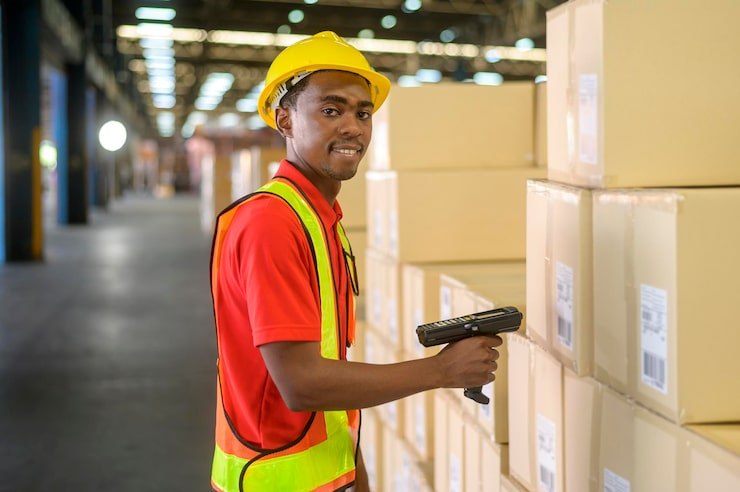
Your warehouse management system tracks the goods you store and ship. A warehouse asset tracking system tracks the things you own that do the work: forklifts and other material handling equipment, returnable pallets, roll cages, totes and containers, handheld scanners, chargers, and yard equipment. They are long-lived, they move constantly, and when they leave with a customer’s load they cost money every time.
Asetavo is the register for those assets: one record each, with a tag, a location, a custodian or customer, a condition and a history of every read and move.
Dock-door and gate portals that read as you load
Fixed UHF RFID readers at dock doors and yard gates record tagged assets as they pass, with direction, without anyone stopping to scan. Each read arrives as a signed event from a reader registered to your workspace, and updates the asset’s last-seen location. Read rates depend on the reader, antenna placement, tag type and what the tag is attached to, so start with one door and tune it before rolling out.
Zones and exit alerts for returnables and equipment
Group locations into zones such as Dock, Bulk store or Yard. Reader coverage decides where crossings can be seen. Alert rules then cover the events that matter in a warehouse: an asset leaving its zone, entering a restricted one, an unregistered tag being read, an asset leaving without being checked out, and a reader going silent.
Alerts arrive in the in-app inbox, by email or by signed webhook into your own systems, each with the reader, direction and time. They are acknowledged and resolved in the inbox, so the record of what happened stays with the asset.
Reads arrive as signed events from your own readers
- Fixed portals, handheld sleds and phones are registered as devices, each with its own identity and secret.
- Every batch of reads is HMAC-signed and checked for timestamp window and replay before it is accepted.
- Accepted reads update each asset’s last-seen location and can trigger zone and checkout-exit alerts.
UHF RFID, readers, zones and alerts are on the Business plan. Compare plans →
Returnable pallets, cages and totes
Returnable transport items are the assets most likely to leave and not return. Tag them with UHF RFID so a whole stack reads at the door, record which outbound load or customer they went with, and keep a list of what is still out. Mix in QR labels for low-value items you only need to count occasionally; both sit in the same register.
Forklifts and MHE: custody, inspections and servicing
Check trucks, pallet jacks and scanners out to an operator for a shift. On the Business plan, give each truck its inspection and service schedule, raise work orders when something fails, and keep the full maintenance history on the asset, so you can see which trucks cost the most to keep running.
Bay counts with a handheld reader
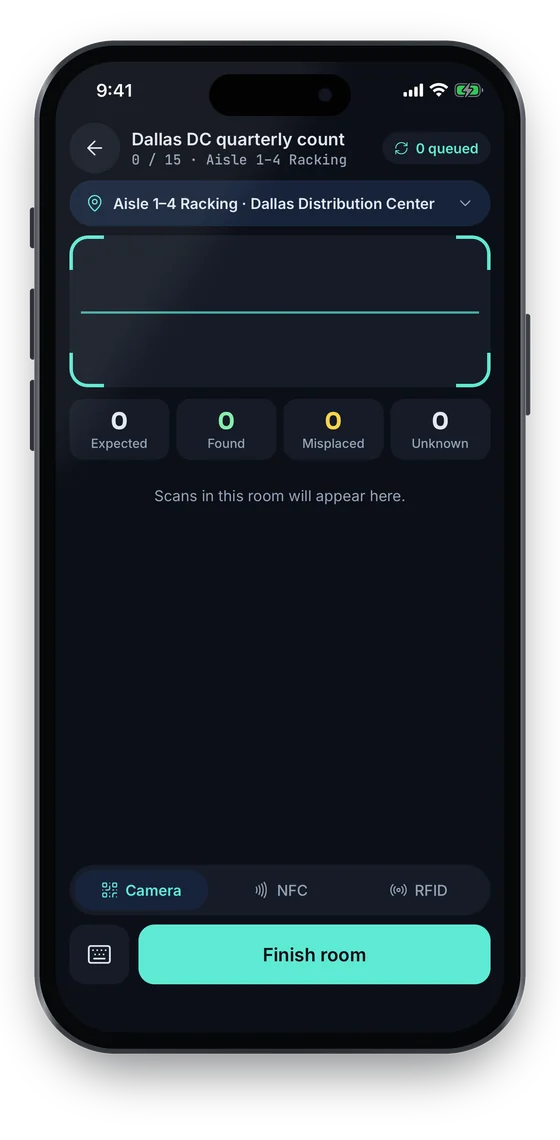
Run a stock-take session for one bay or aisle and sweep it with a UHF handheld reader paired to the phone. Found, missing and unregistered assets are listed as you go; resolve each one and export the variance to Excel or CSV. Barcode and QR scanning with a phone or handheld scanner works in the same session for untagged items.
Rolling out RFID one dock door at a time
Import the asset list
Load your MHE and returnables from Excel or CSV.
Tag what you lose most
Start with returnables and high-value equipment; QR labels can cover the rest.
Pilot one door
Fit a reader, tune antenna placement and check reads against a manual count.
Add zones and rules
Set the exit and unregistered-tag alerts once reads are reliable, then expand door by door.
Which plan a warehouse needs
You can build the register, tag with QR or barcode and check items out on the free Starter plan. Stock-takes are on Growth. UHF RFID tags and readers, zones, alerts and maintenance are on the Business plan.
On the phone
The phone works alongside your readers
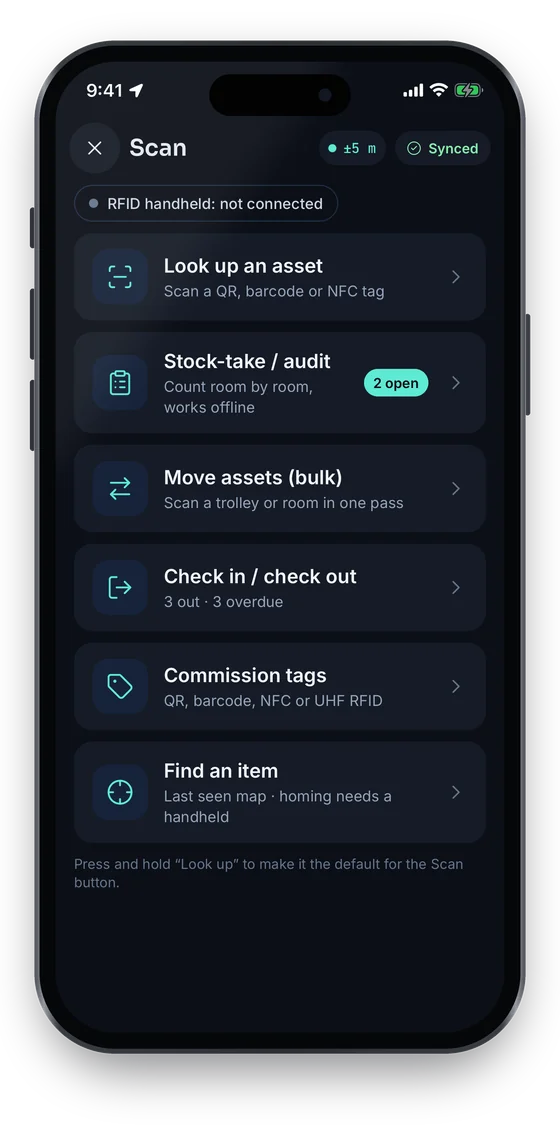
The Scan hub reads QR, barcode and NFC on the phone itself, and UHF RFID through a paired Bluetooth handheld; until one is connected, the app says so. Stock-takes switch between Camera, NFC and RFID as you count.
Swipe to see more screens →
Frequently asked questions
Ready to account for every asset?
Tag, track and audit everything you own — from a handheld scanner to a boardroom report.
No card required · Workspace ready in minutes · Simple USD pricing
